Charlie makes it easy to view and update Adjustable-Rate Mortgage (ARM) details. This guide covers how to access ARM data, make edits, and ensure key fields—like rate adjustments, margins, and index types—are accurate and up to date.
When 'AMORTIZATION TYPE' is set to Adjustable Rate, an ARM-specific screen will be displayed dynamically.
Instructions to View ARM Information
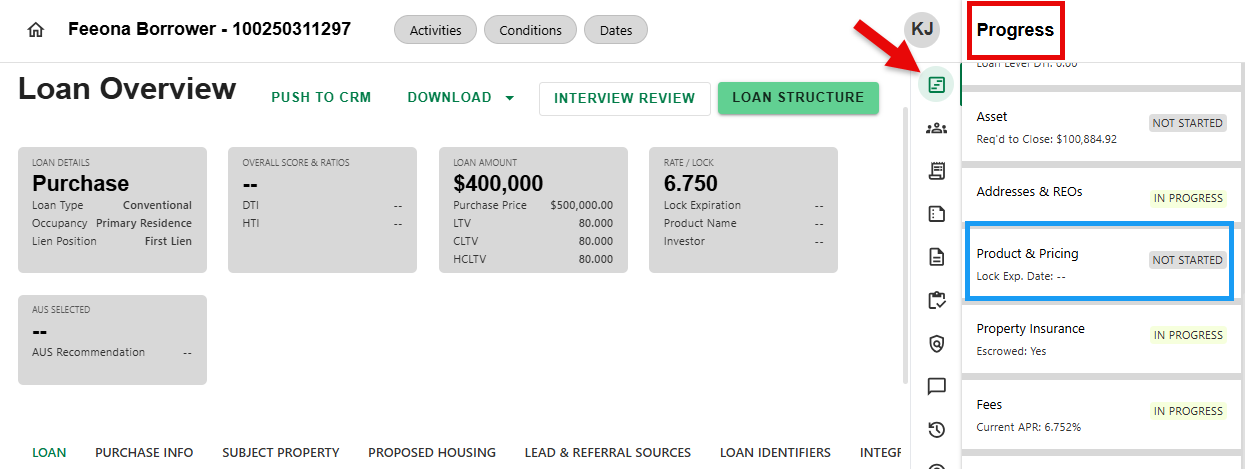
Step 1: Navigate to Product & Pricing Progress Item
- From any screen, navigate to the Progress Item sidesheet and select the Product & Pricing Progress Item.
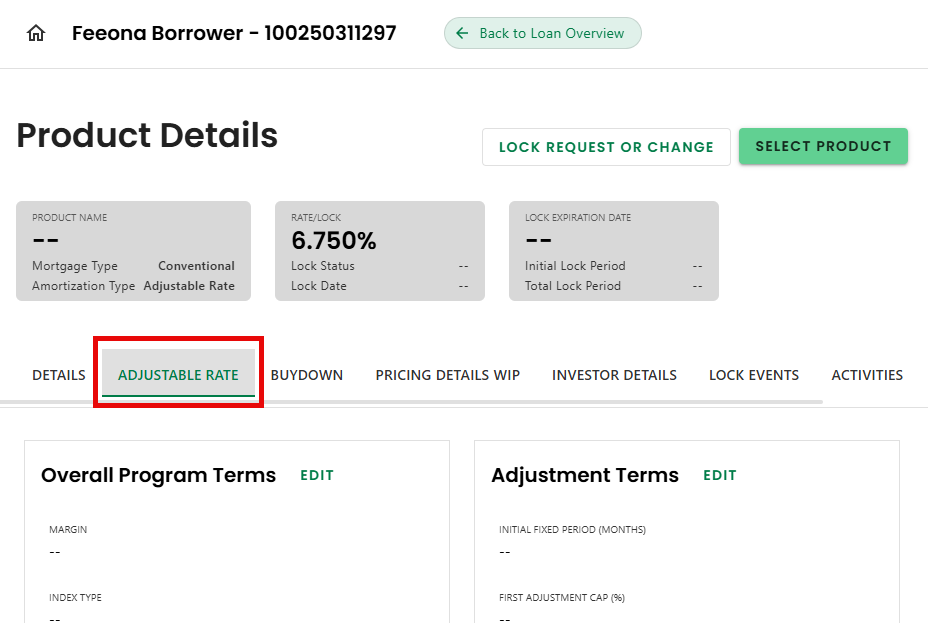
Step 2: Select the Adjustable Rate Tab
- Select the 'ADJUSTABLE RATE' tab on the Product Details screen.
Step 3: View/Edit Adjustable Rate Terms
- The Adjustable Rate Terms sections can be viewed & edited. Click 'EDIT' in each of the sections to update. Once done, click 'SAVE' to apply changes or 'DISCARD' to cancel.
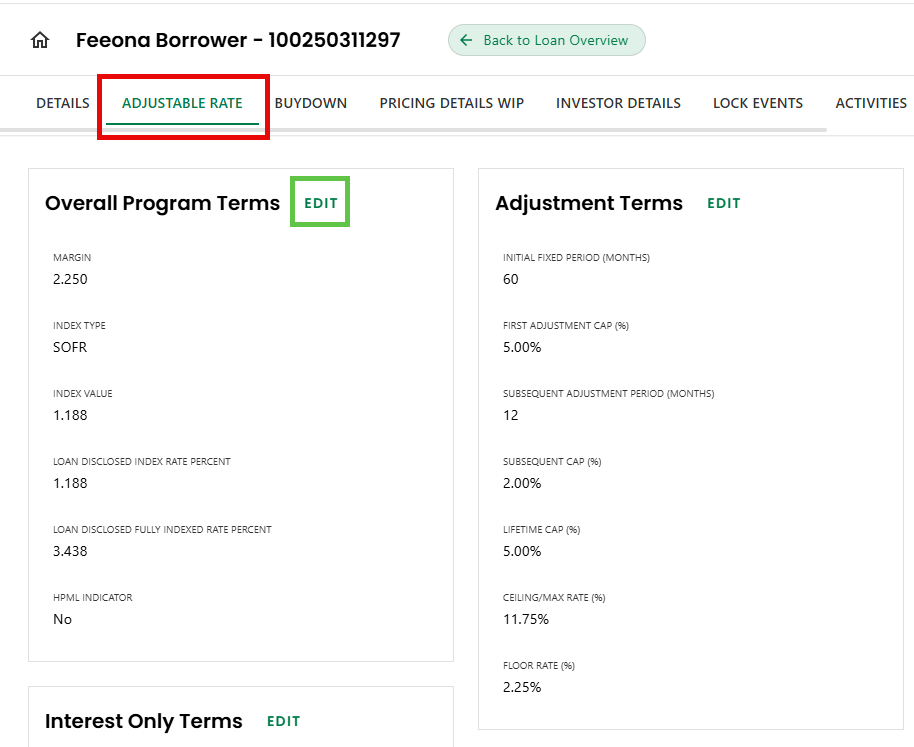
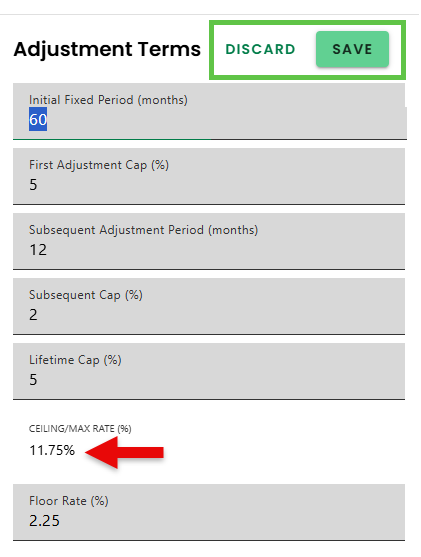
- NOTE: Some fields cannot be edited because they are calculated or automatically populated based on other input.
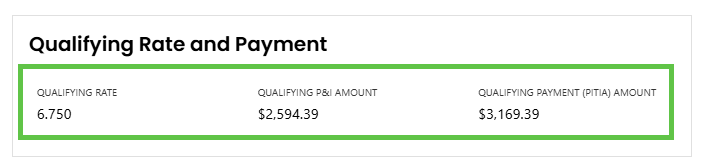
Step 4: View Qualifying Rate and Payment Section
- View the Qualifying Rate and Payment Section to see the calculated 'QUALIFYING RATE', 'QUALIFYING P&I PAYMENT', and 'QUALIFYING PAYMENT (PITIA) AMOUNT'.
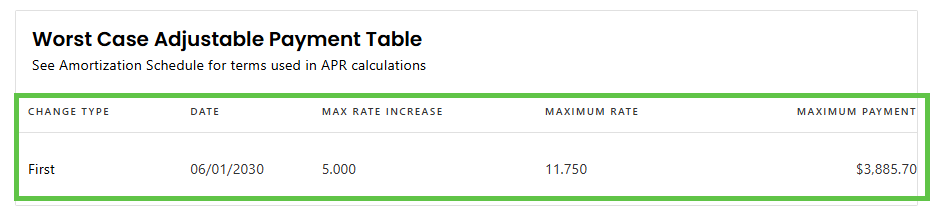
Step 5: View Worst Case Adjustable Payment Table
- View the Worst Cast Adjustable Payment Table for the calculated 'CHANGE TYPE', 'DATE' of 1st Change, "MAX RATE INCREASE', 'MAXIMUM RATE', and 'MAXIMUM PAYMENT'.
Was this article helpful?
That’s Great!
Thank you for your feedback
Sorry! We couldn't be helpful
Thank you for your feedback
Feedback sent
We appreciate your effort and will try to fix the article