Easily stay on top of important dates by accessing a centralized location where they are clearly listed.
Note: Dates also display contextual in relevant sections and Review ad.
Instructions to access key dates
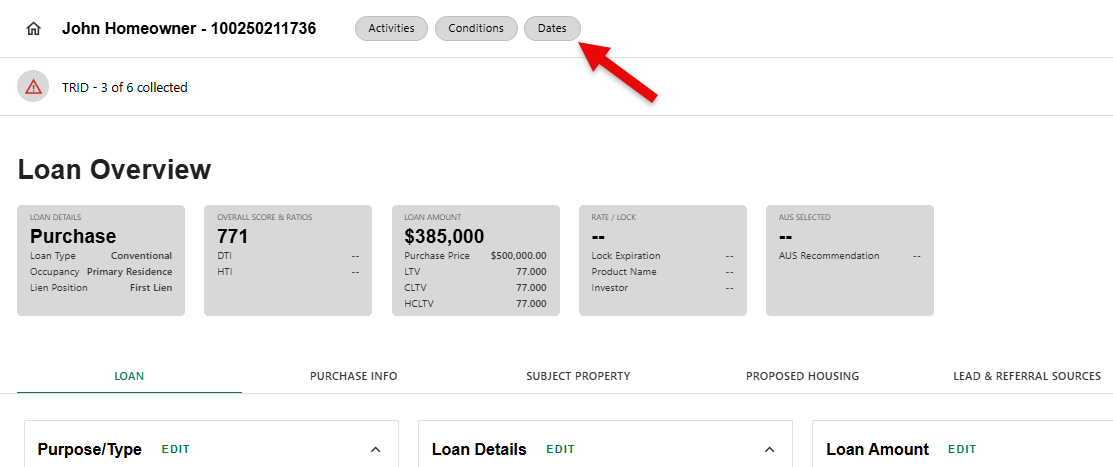
Step 1: Access the Dates screen
- From the Loan Overview main screen, click on the Dates chip at the top.
Step 2: Edit Dates
- Each date section has an Edit feature. Click 'EDIT' to open the section to show editable fields.
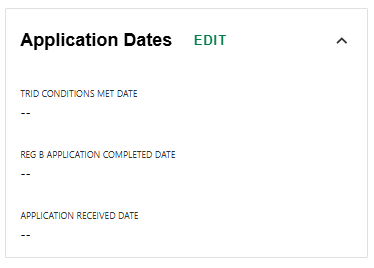
- After making edits, click 'SAVE' to apply the changes or 'DISCARD' to cancel them.
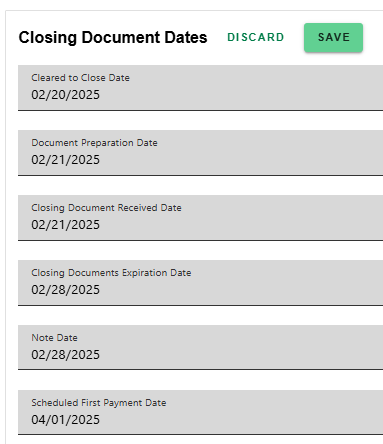
Certain dates are automatically calculated and cannot be edited.
Was this article helpful?
That’s Great!
Thank you for your feedback
Sorry! We couldn't be helpful
Thank you for your feedback
Feedback sent
We appreciate your effort and will try to fix the article