Advanced Activities (General) Enhancements
1. In Charlie's April 2025 Release, there were several enhancements made to the Advanced Activity Reviews.

2. First, AUS Findings are now embedded in the Advanced Activities. In any Advanced Activity, there is a 'Findings' tab on each screen.
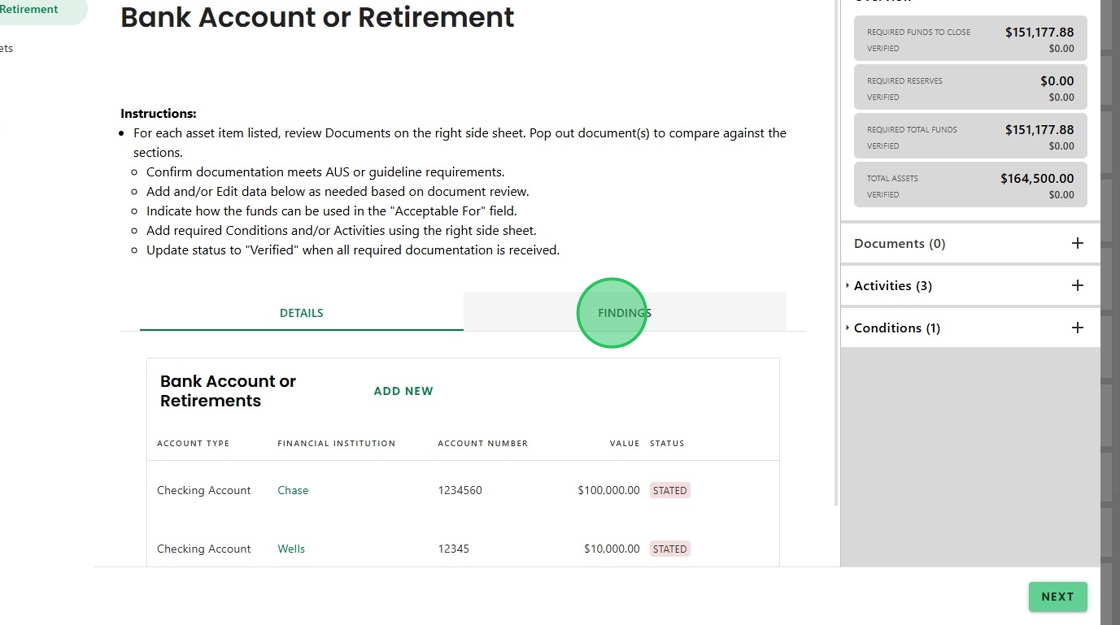
3. Click on 'Findings' to show the AUS requirements specific to that activity.

4. Second, document requests can be triggered from each Advanced Activity, with the added flexibility to include custom descriptions. Using the Asset Review as an example, click '+' in the Documents section of the side panel.

5. Select 'Upload Bank Statement' under Request Documents

6. The Description prepopulates with a generic request.
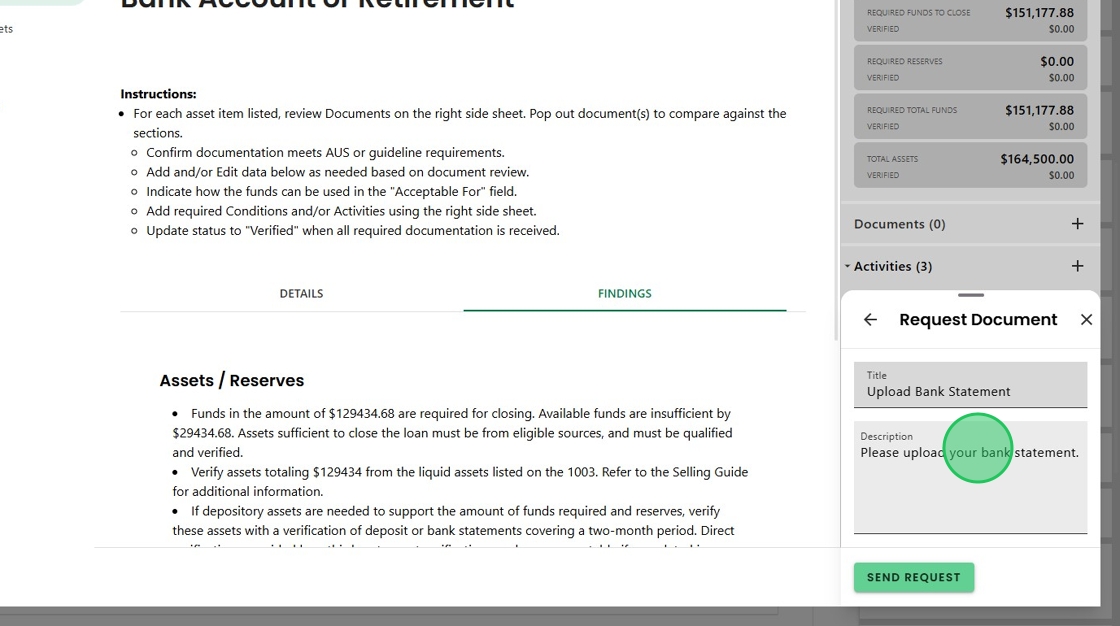
7. Click the Description box to add customization. When ready, select 'Send Request'. to generate an activity for the borrower.

8. The third enhancement is expanded Help Text.

9. Expanded instructions contextually outline the required actions on each screen, ensuring thorough validation of the gathered information.

10. And finally, the Overview Side Panel for each advance activity is now dynamic based on the nature of the review. For instance, the Assets Review Overview shows relevant funds to close and verified amounts.

11. While the Appraisal Order Overview has the fields needed to complete the order activity.

12. And the Credit Review Overview displays the credit score, DTI and liability info.

Was this article helpful?
That’s Great!
Thank you for your feedback
Sorry! We couldn't be helpful
Thank you for your feedback
Feedback sent
We appreciate your effort and will try to fix the article