AI-Powered Document Intelligence - Workflow Automation
1. Charlie’s new AI-powered Document Intelligence, supported by Brimma ICR technology, automatically classifies documents, extracts key details, updates statuses and triggers the right activities to keep workflows moving smoothly.

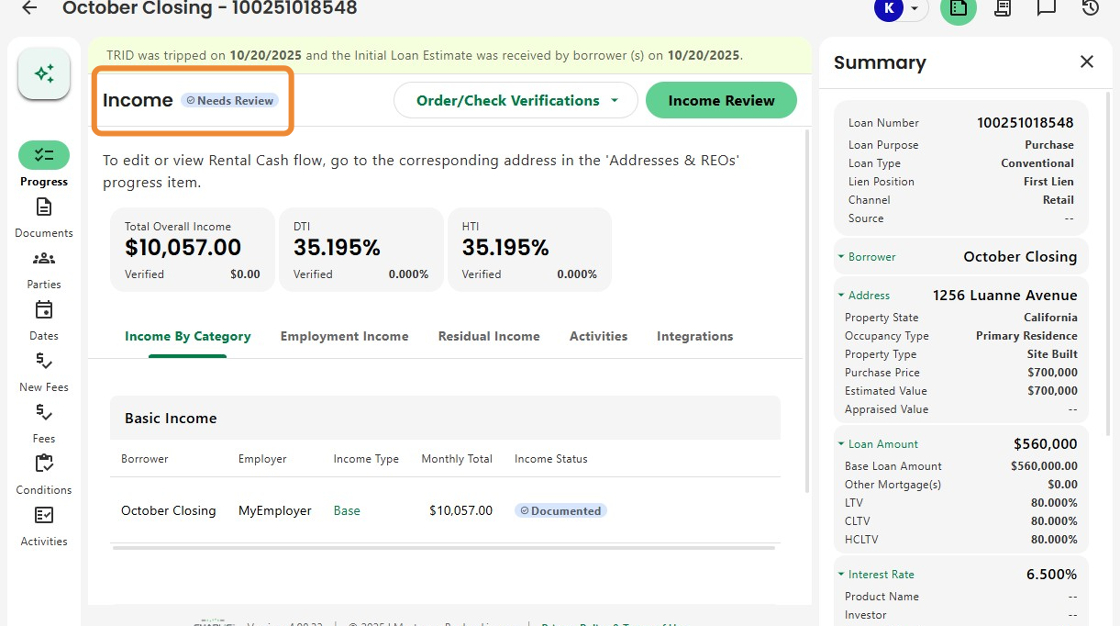
2. Let's walk through Income as an example. The Income Progress Item shows a Needs Action status, noting that income has been stated.
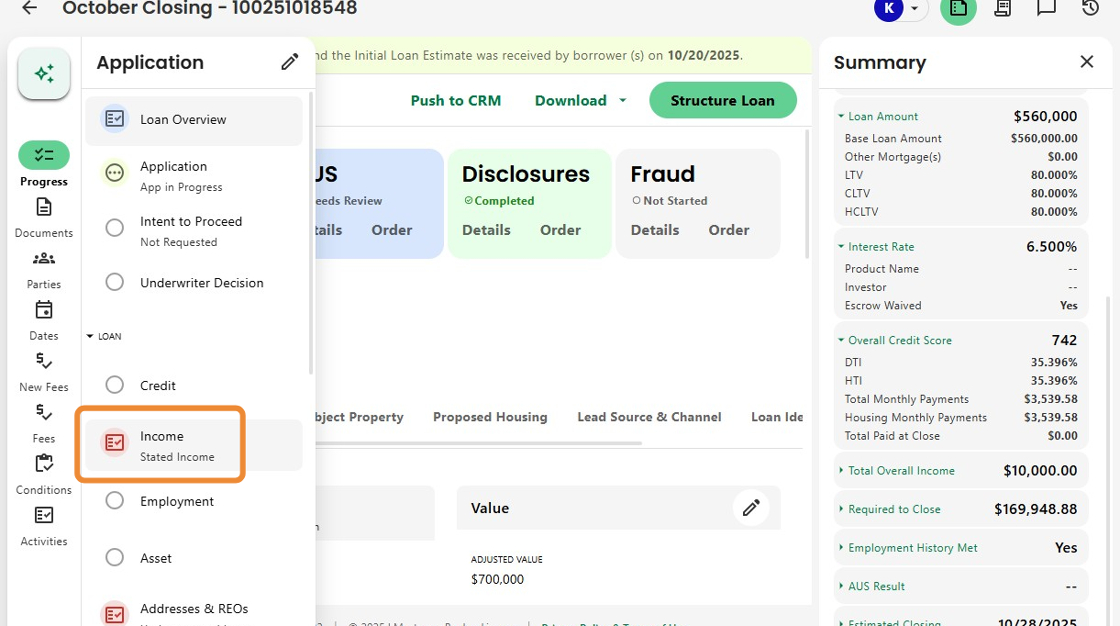
3. When the Income Review is initiated based on the presence of income from the application,

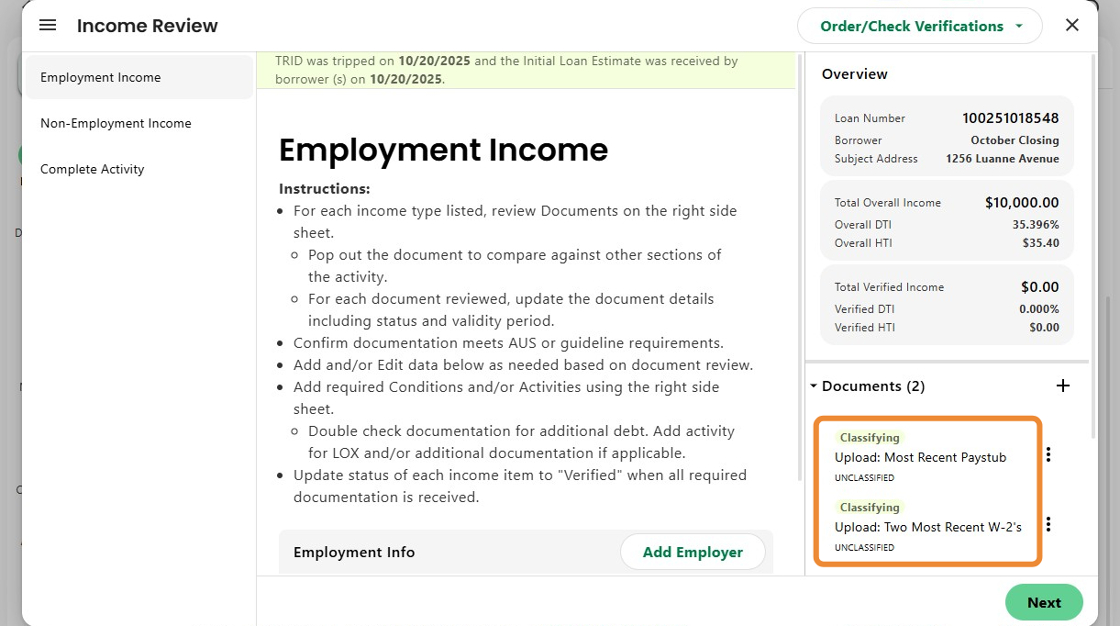
4. the user can see that Charlie automatically created two activities, based on the stated income type, to request a pay stub and W-2s for verification.

5. When the borrower uploads those files, Brimma's intelligent document recognition begins classifying and extracting data instantly.
6. Once extraction is complete, the document status updates to Received, confirming successful upload and processing.
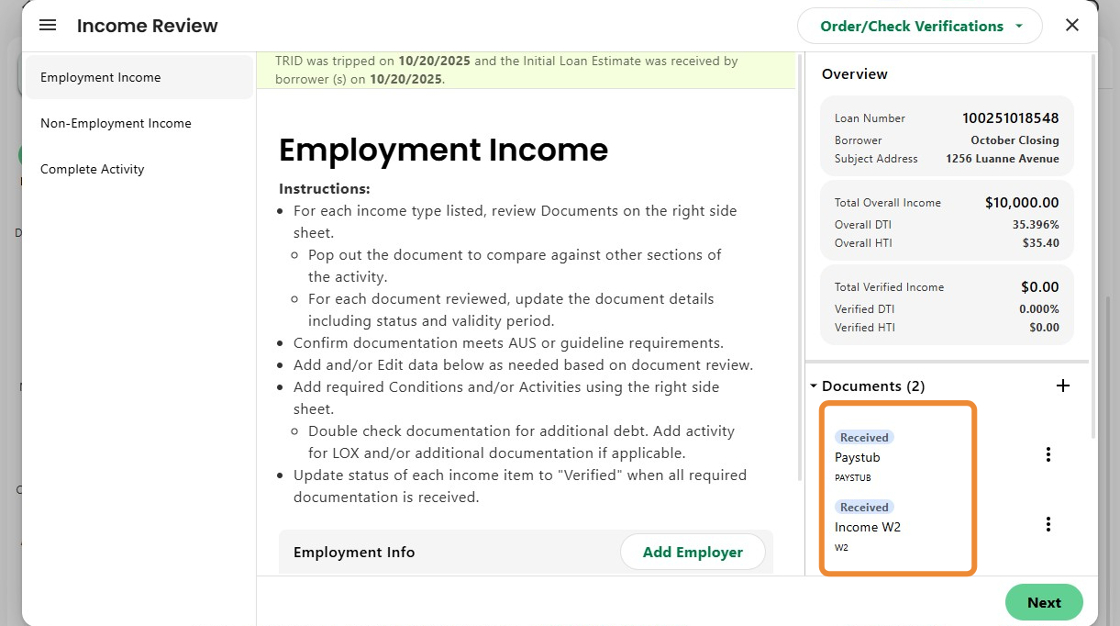
7. Charlie updates the status of the 'Upload' activities to complete, while the uploaded documents automatically trigger related activities, either for the same user or to be assigned to a different skillset.

8. The user can then click on each document to begin the review of extracted information.

9. The data is displayed alongside the document, with confidence scores for each field to help reviewers assess accuracy.
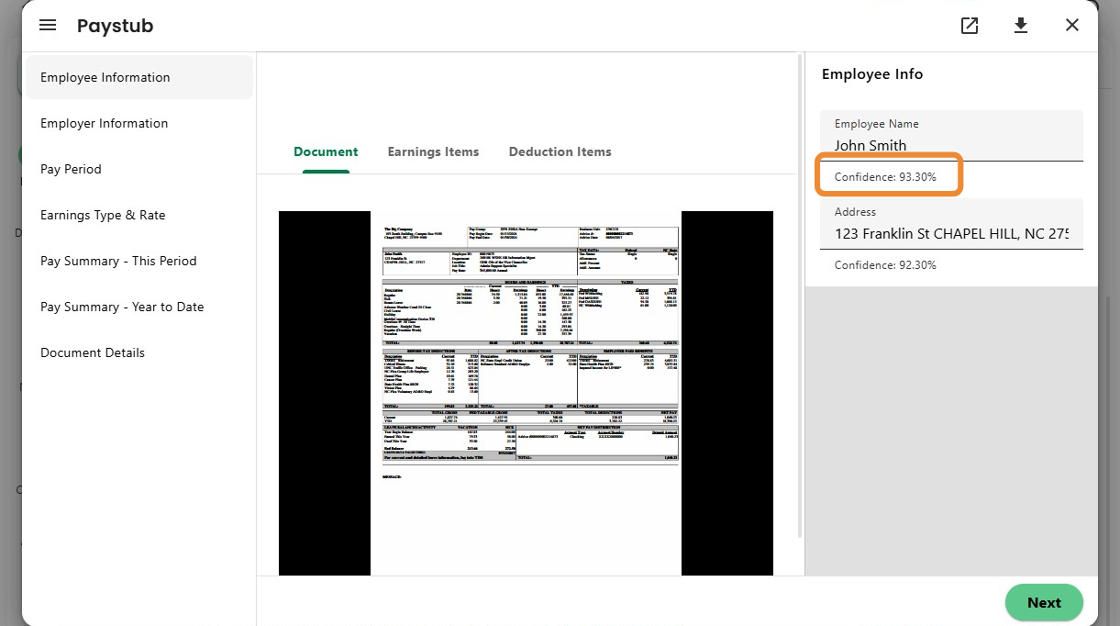
10. Once the user goes through all of the extracted data and indicates 'Reviewed',

11. the document's corresponding status updates to Reviewed as well.

12. After the paystub and W2s are reviewed, the Activity list updates again, leaving only the VOE Income Order as the final remaining step.

13. As new documents arrive, the Income Progress Item automatically updates to Needs Review and generates new activities. Once all documents are received and reviewed — and all activities are complete — the Progress Item advances to Complete and all income is marked as Verified.
14. Charlie now also detects expired documents using extracted dates and guideline logic.
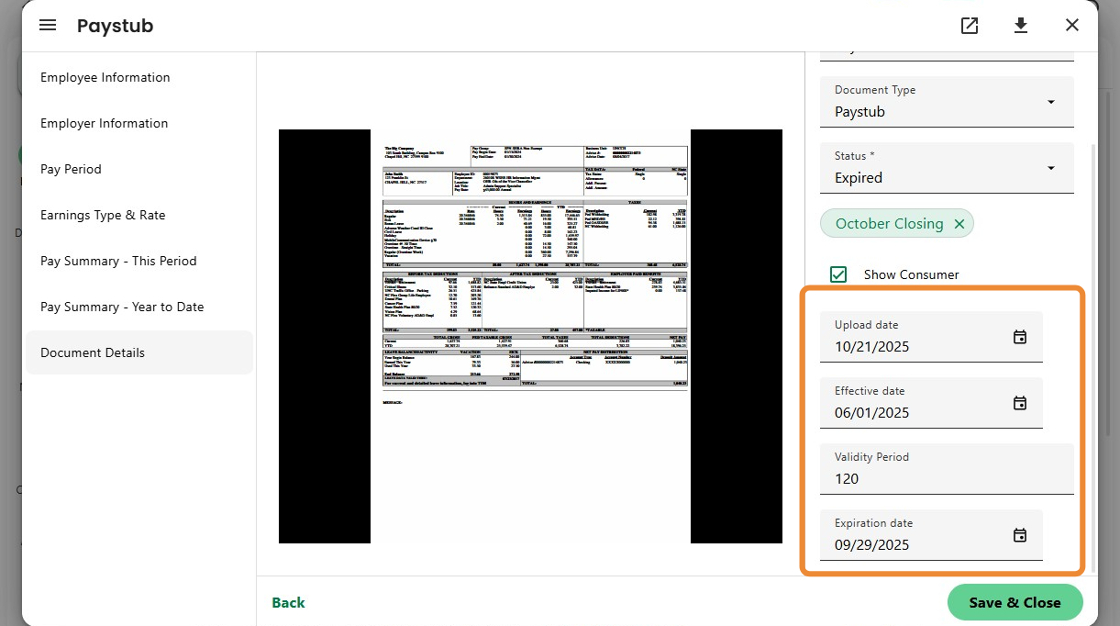
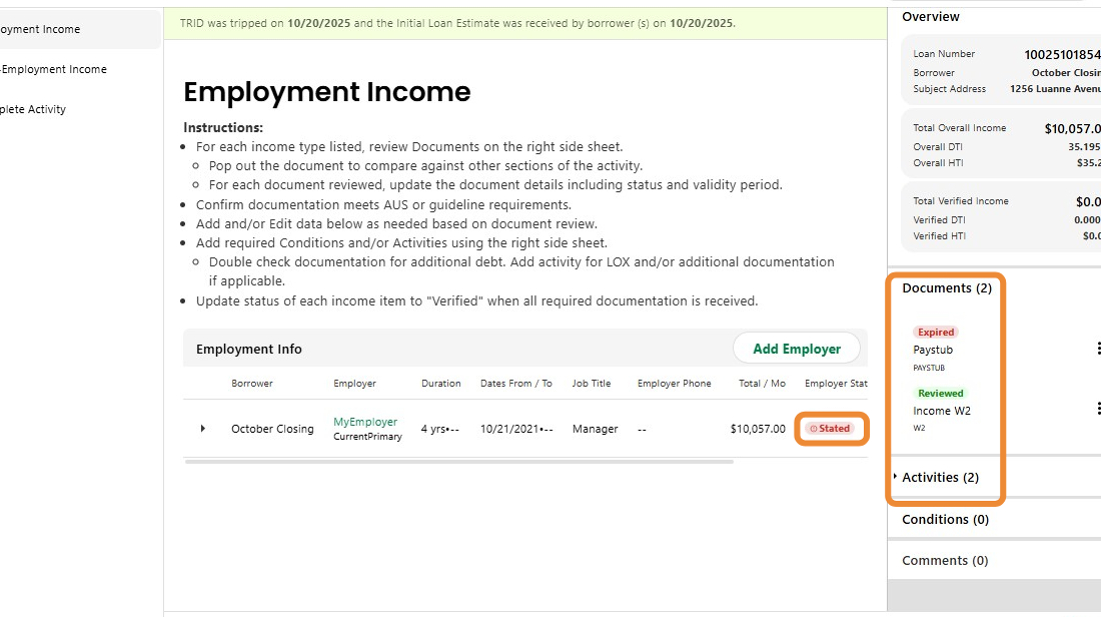
15. When a document expires, it automatically updates to Expired, resets the income status to Stated, returns the Progress Item to Needs Action, and creates an activity requesting a current document.
16. These enhancements lay the foundation for a future of fully automated document review, eliminating manual checks and data entry for a faster, smarter, and trusted hands-free experience.

Was this article helpful?
That’s Great!
Thank you for your feedback
Sorry! We couldn't be helpful
Thank you for your feedback
Feedback sent
We appreciate your effort and will try to fix the article