How to Manually Order a Fraud Report
1. In this guide, we’ll walk through how to manually order a Fraud Report in Charlie...
To begin, either initiate the order from an assigned activity or navigate to the Loan Overview Progress Item from the left-hand menu.

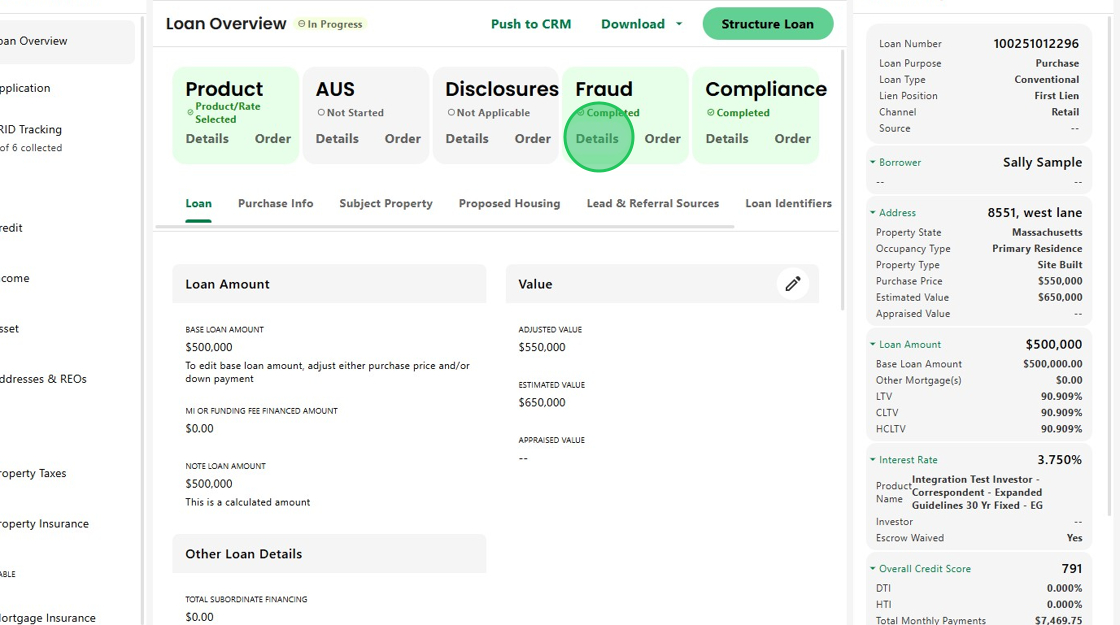
2. On the Loan Overview screen, locate the Fraud Info Card and click Order to initiate the request.

3. A message will appear confirming that the Manual Fraud Order was triggered successfully.

4. Once the fraud report is received, Charlie automatically displays the results.
You can also access them anytime by clicking Details on the Fraud Info Card or through an assigned activity.
5. The DRIVE Report screen displays key details for risk assessment, including conditions and verification results.
Note, the test can be rerun at any time by clicking the button at the top of the screen.

6. Conditions are organized by risk level — high, medium, and low — allowing you to quickly identify and prioritize issues that require attention.

7. The Drive Status and Scores also populate automatically and the full Fraud Report PDF is available from the same screen under Documents...

8. ...providing complete visibility without leaving Charlie.

Was this article helpful?
That’s Great!
Thank you for your feedback
Sorry! We couldn't be helpful
Thank you for your feedback
Feedback sent
We appreciate your effort and will try to fix the article