Ensuring accurate CAIVRS (Credit Alert Verification Reporting System) assignment dates is essential for loan eligibility verification. This guide will walk you through the steps to view the CAIVRS information
Instructions to View CAIVRS Number and Assignment Date
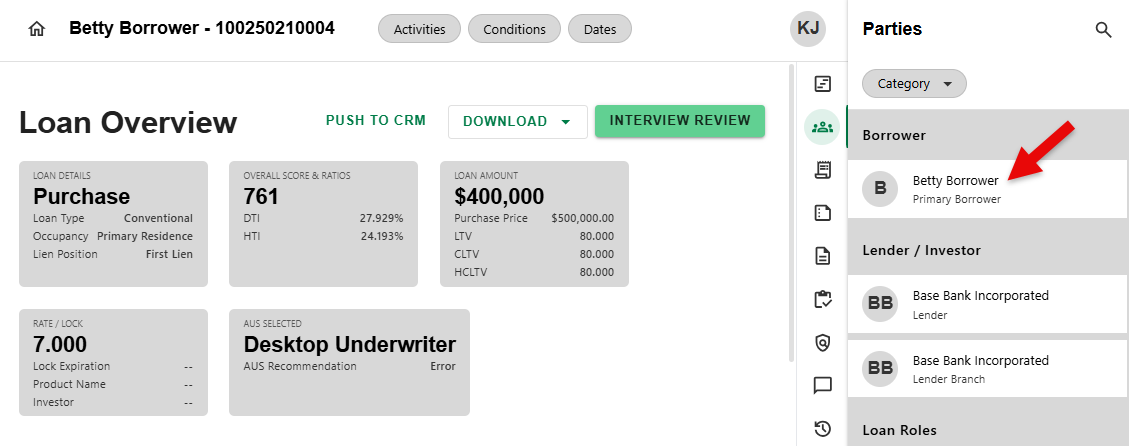
Step 1: Select the Borrower
- To begin, click on a Borrower from the list in the Parties Overview side sheet.
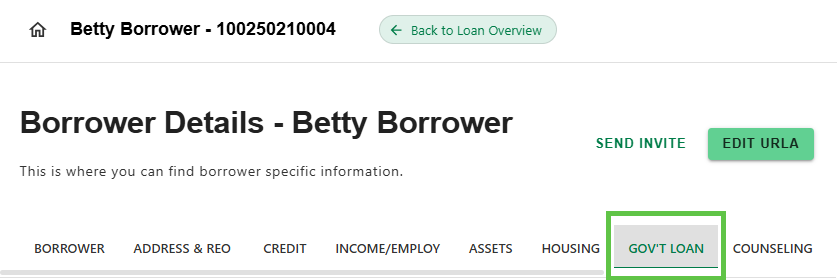
Step 2: Navigate to the Gov't Loan Tab
- On the Borrower Details screen, click on the 'GOV'T Loan' Tab.
Step 3: View Government Loan Data
- View the CAIVRS IDENTIFIER and CAIVRS ASSIGNMENT DATE in the Government Loan Data section.
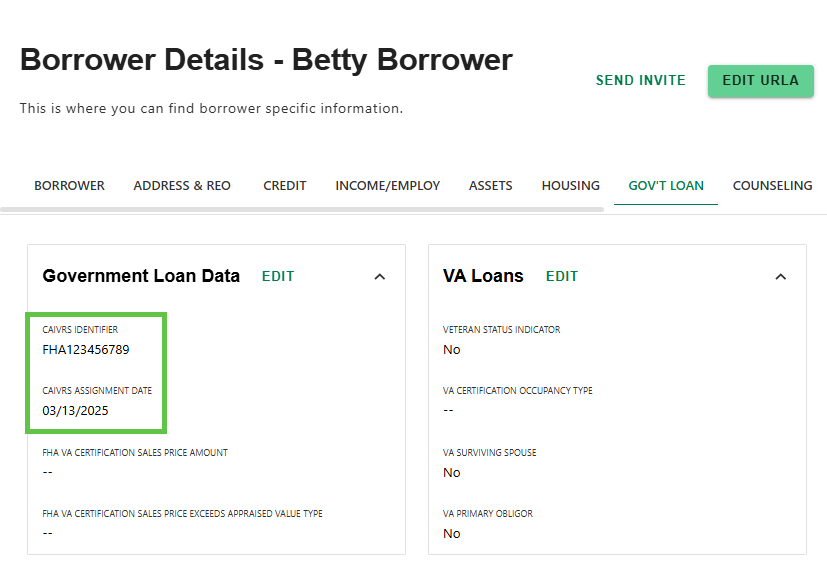
To update or add Identifier or Assignment Date, simply click 'EDIT'.
in Charlie.
Was this article helpful?
That’s Great!
Thank you for your feedback
Sorry! We couldn't be helpful
Thank you for your feedback
Feedback sent
We appreciate your effort and will try to fix the article