How to Waive Escrows
1. In this video, we’ll walk through how to waive escrows in Charlie.
By default, escrows are set to “Yes” on new loans, but you can easily update the indicator when escrows need to be waived.
Start by selecting the Progress Item or open the Activity for the area you want to update.

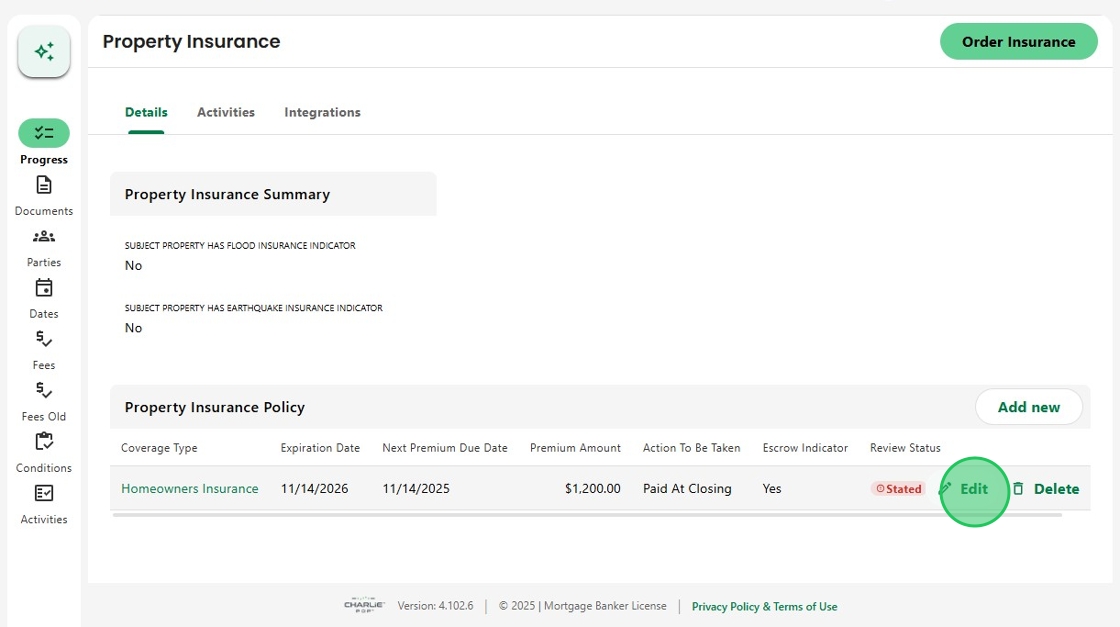
2. In this example, we’ll use Property Insurance.
Locate the Policy in the table and click Edit. This can be done directly from the Progress Item screen...
3. ...or from within the related Activity.

4. When the Edit Details screen opens, locate the Escrow Indicator.
Uncheck the box to waive escrows then click Save to apply the update.

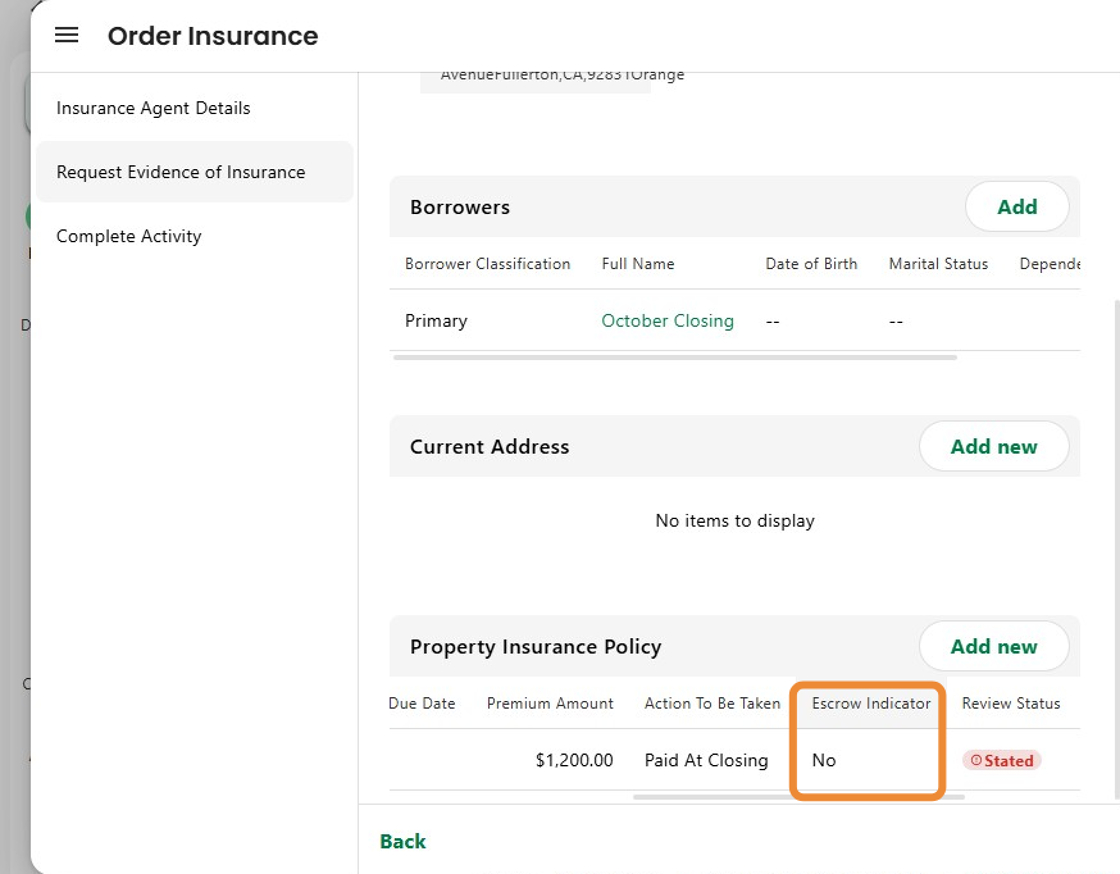
5. The Policy table now displays Escrow Indicator = No, confirming the change.
All calculations will automatically adjust based on this update.
6. Property Taxes function the same way. The Escrow Indicator can be updated within the Tax Review activity or from the Progress Item screen.

Was this article helpful?
That’s Great!
Thank you for your feedback
Sorry! We couldn't be helpful
Thank you for your feedback
Feedback sent
We appreciate your effort and will try to fix the article