The aggregate adjustment ensures the borrower's escrow account is properly funded at closing. In Charlie, you can quickly locate and review this value for accurate escrow calculations. Follow the steps below to access the aggregate adjustment.
Instructions to Find the Aggregate Adjustment
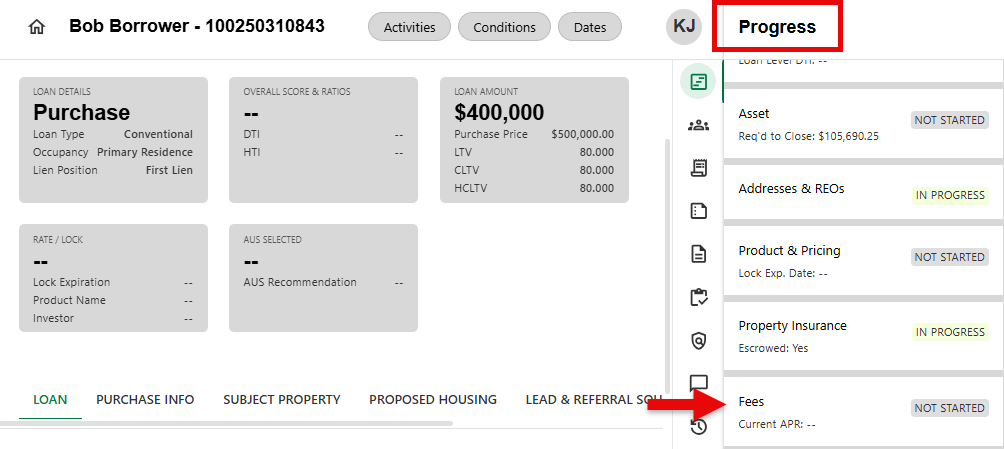
Step 1: Select Fees Progress Item
- Navigate to and select the Fees Progress Item
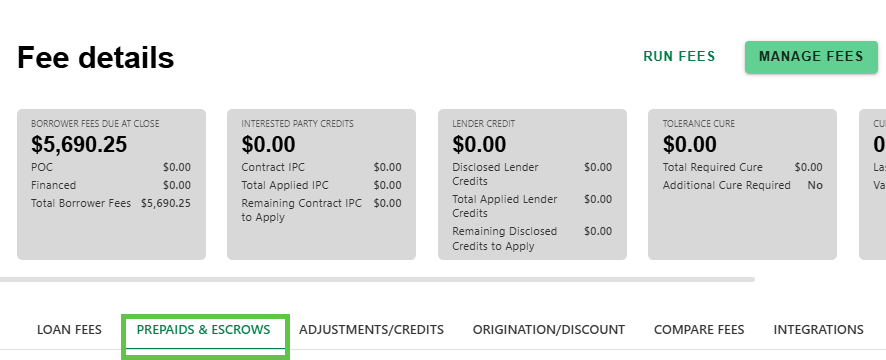
Step 2: Click on PREPAIDS & ESCROWS Tab
- On the Fee Detail screen, click on the PREPAIDS & ESCROWS tab
Step 3: View Aggregate Adjustment
- View the calculated Aggregate Adjustment on the PREPAID & ESCROWS details screen in the Initial Escrow Payment at Closing section.
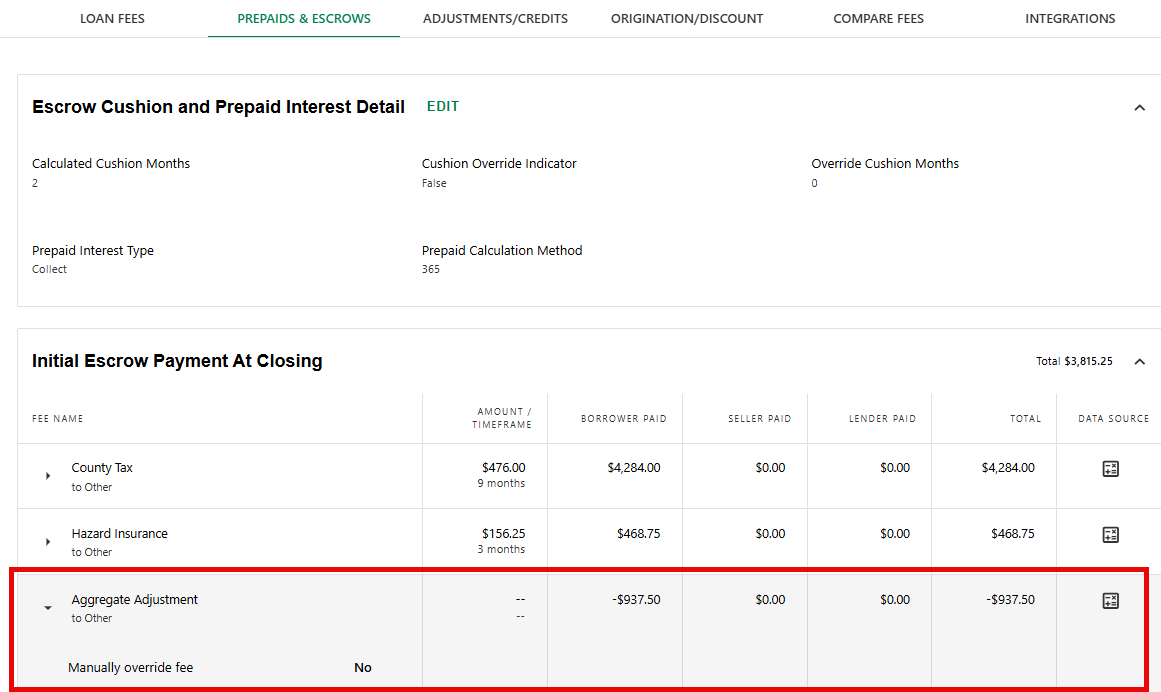
The Data Source icon shows the Aggregate Adjustment is a 'Calculated Result'. Manual adjustments can be made by permissioned users by following the Manage Fees workflow.
Was this article helpful?
That’s Great!
Thank you for your feedback
Sorry! We couldn't be helpful
Thank you for your feedback
Feedback sent
We appreciate your effort and will try to fix the article