Q: How Are Payoff Calculations Handled in Charlie?
A: Charlie calculates loan payoff amounts using a combination of manually entered or extracted fields and automated logic.
Input Fields for Calculation:
| Estimated Disbursement Date | Used to determine number of days |
| Payoff Good Through Date | Used as baseline date for payoff calculation |
| Per Diem | Daily interest rate |
| Payoff from Statement | Base payoff amount |
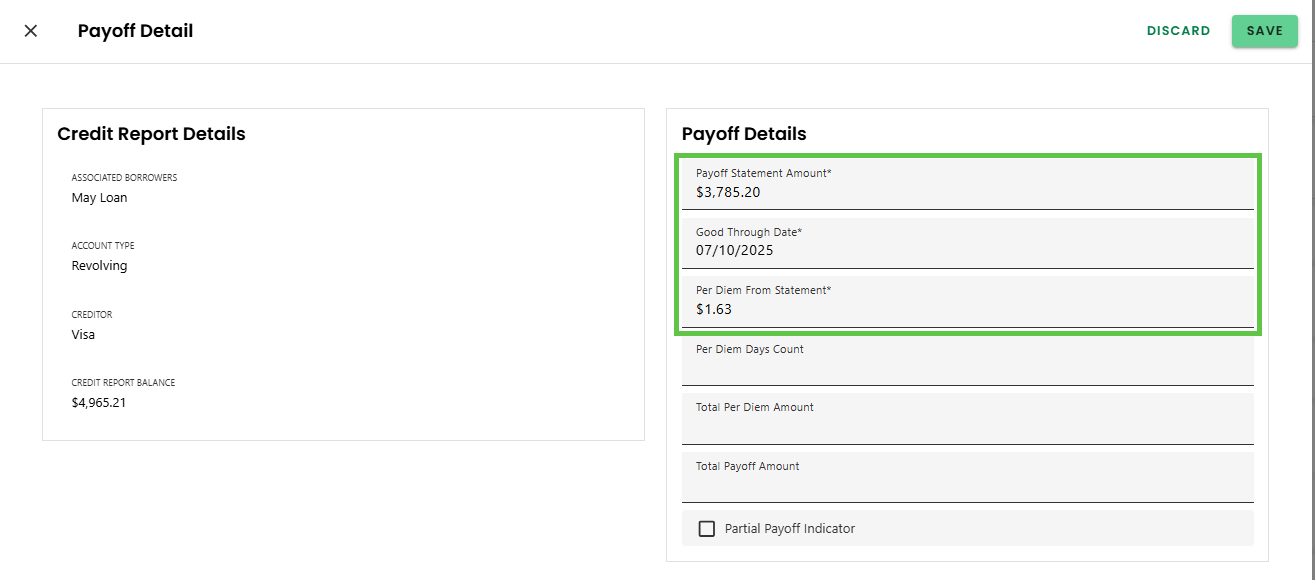
Automated Calculations
1. Per Diem Days Count:
If not entered manually, the system calculates it as:
Estimated Disbursement Date – Payoff Good Through DateIf result is negative, the value is set to 0
If entered manually, that value is used and the system skips the auto-calculation
2. Total Per Diem Amount:
- Total Per Diem Amount = Number of Days Per Diem x Per Diem
3. Total Per Diem Amount:
- Payoff Amount = Payoff from Statement + Total Per Diem Amount
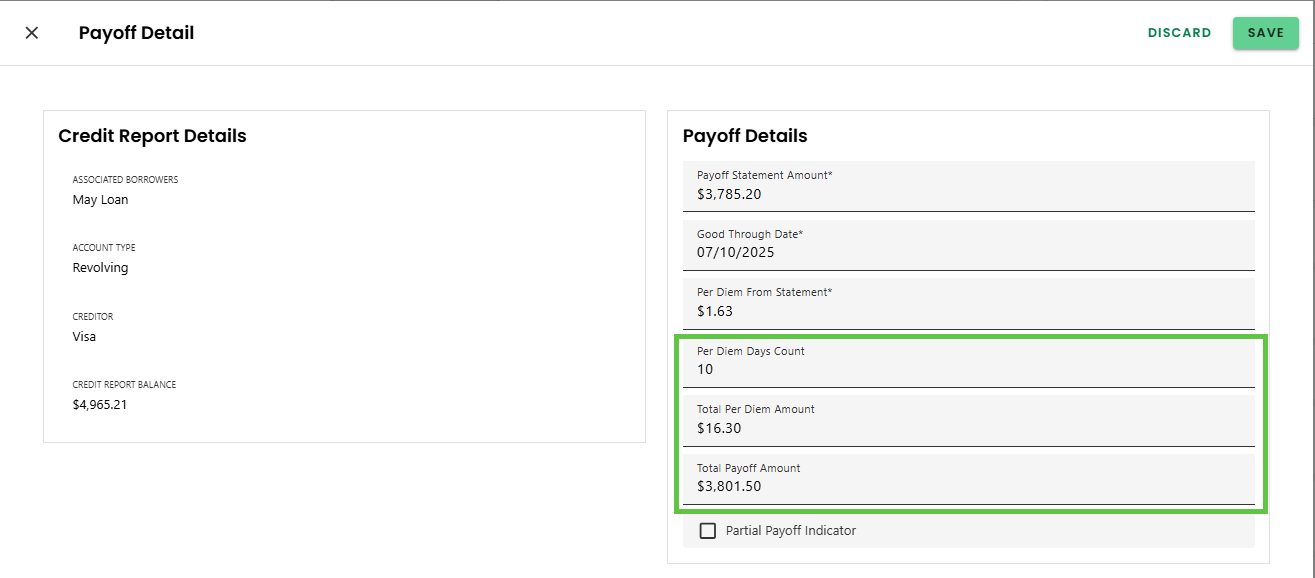
Key Notes
- All calculations use calendar days, not business days.
- Manual overrides provide flexibility for edge cases.
- Payoff logic is implemented consistently, accessible in dedicated 'Payoffs" sections in both the Credit and Closing Review advanced activities as well as the corresponding Progress Item detail screens.
Was this article helpful?
That’s Great!
Thank you for your feedback
Sorry! We couldn't be helpful
Thank you for your feedback
Feedback sent
We appreciate your effort and will try to fix the article