Automated Change of Circumstance
1. Charlie now automatically creates Change of Circumstance records when eligible fee updates occur, eliminating manual entry by loan officers and processors. Here is an example for adding a $150 Appraisal Final Inspection Fee after the initial LE was sent.

2. Charlie immediately recognizes there was a change that might cause a tolerance cure.
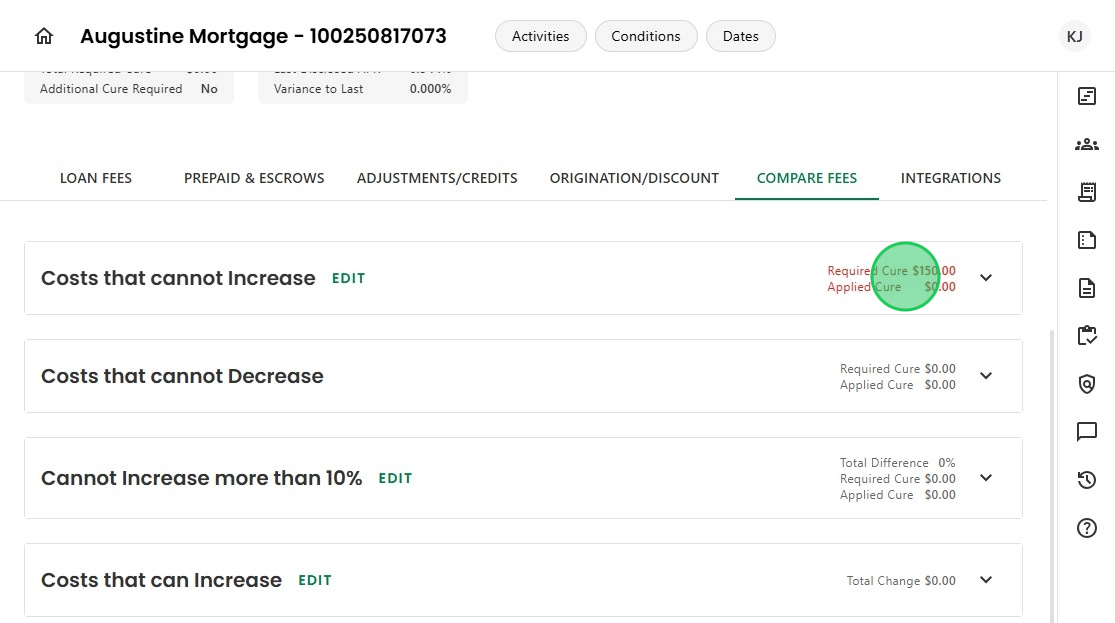
3. Details are shown on the Compare Fees screen.

4. As soon as the fee is added, a message pops up that there may be a valid Change of Circumstance.

5. When the user confirms,

6. Charlie takes action and alerts that there is an undisclosed event.

7. The Redisclosure Information details populate.

8. And a banner appears, advising of the redisclosure and providing a link to send the revised LE.

9. An 'Undisclosed' Change of Circumstance record is automatically created, with a default code prepopulated for easier redisclosure.

10. By simply clicking the 'Send Disclosures' button on the banner,

11. the user is able to request the redisclosure package from the document vendor.

12. Once the revised LE and any additional documents are delivered to the borrower,
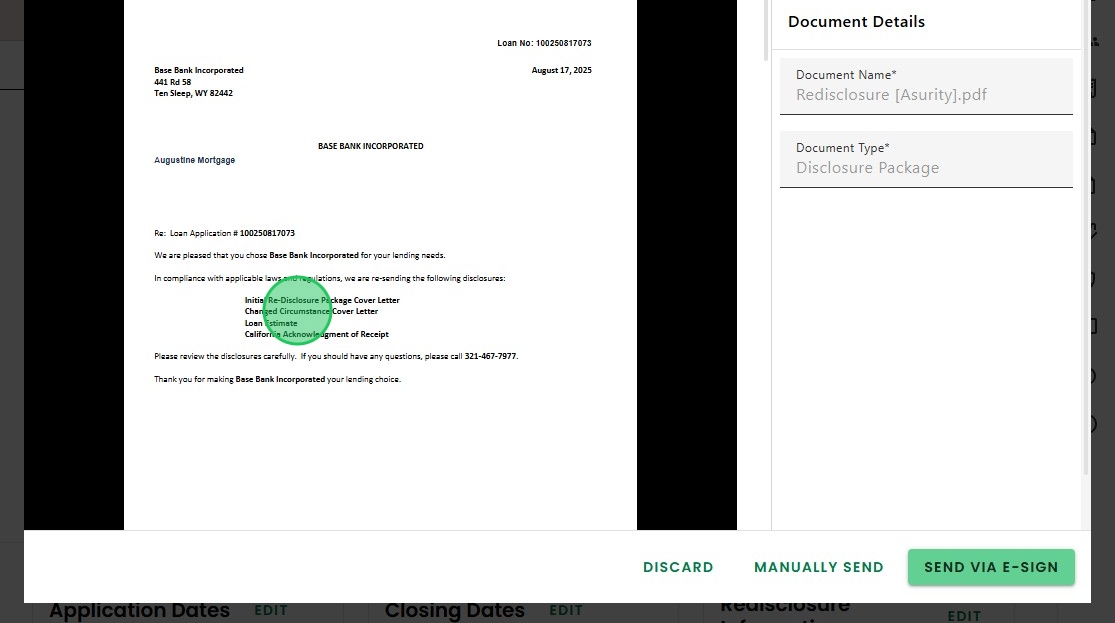
13. The Change of Circumstance record updates to 'Disclosed.'

14. The banner disappears, the Undisclosed Change Event status reflects No, the delivery dates update,

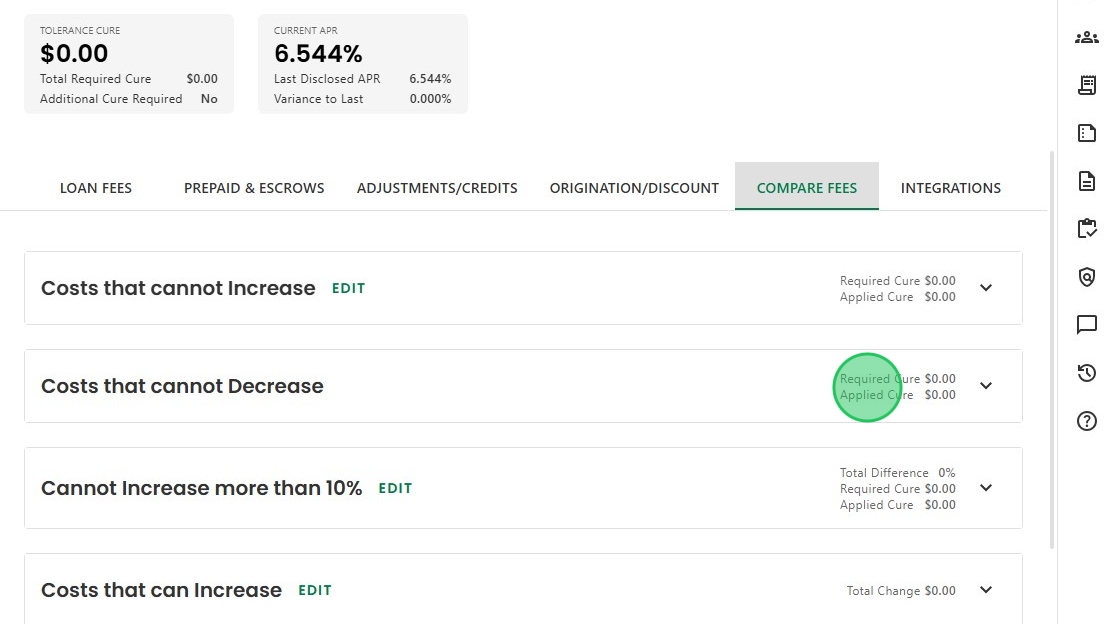
15. And the tolerance cure in the fee comparison screen accurately reflects zero.
Was this article helpful?
That’s Great!
Thank you for your feedback
Sorry! We couldn't be helpful
Thank you for your feedback
Feedback sent
We appreciate your effort and will try to fix the article