Xactus - Tax Transcript Ordering
1. Introducing a new verification option that supports ordering IRS tax transcripts directly through Charlie.

2. Simply select Tax Transcript from the 'Order / Check Verifications' dropdown.

3. Pick Xactus as the provider, add the borrower, transcript type and tax years, and click Submit. Users can create new orders or reissue a report using a prior ID.

4. Built in status checks make tracking orders easy. And once the transcript is received,

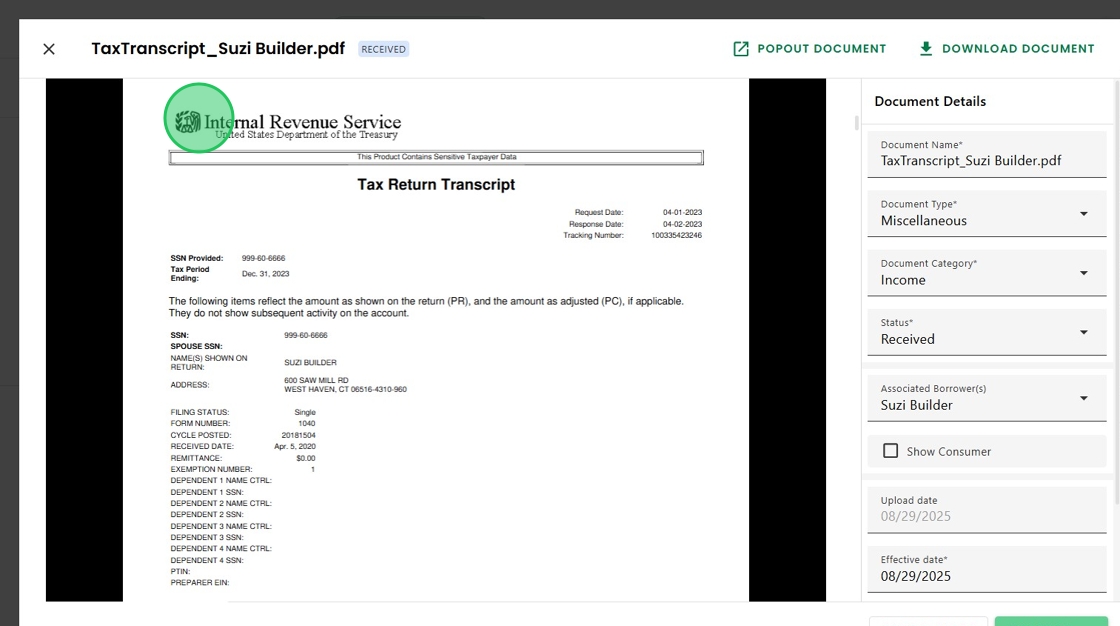
5. a summary provided by Xactus can be viewed as a PDF, followed by the complete transcript.

6. XML automation to surface the information contained in the PDF is coming soon!
Was this article helpful?
That’s Great!
Thank you for your feedback
Sorry! We couldn't be helpful
Thank you for your feedback
Feedback sent
We appreciate your effort and will try to fix the article