How to View/Edit Borrower Counseling Information
1. In this guide, we’ll walk through how to view and update housing counseling information in Charlie.
Start by navigating to the Application Progress Item from the left-hand menu.

2. Next, select the Borrower’s name to open their details.

3. Click the Counseling tab on the Borrower Details screen.

4. This tab includes fields for both Housing Counseling requirements and details for the Supplemental Consumer Information Form.

5. The Housing Counseling Info section includes a default requirement indicator that automatically updates based on loan data and program guidelines, and can be used to trigger related activities.

6. The SCIF sections contain all of the fields to complete the form.
Note - you can also access and update the same SCIF fields by clicking Edit URLA, which can also be assigned as an activity.
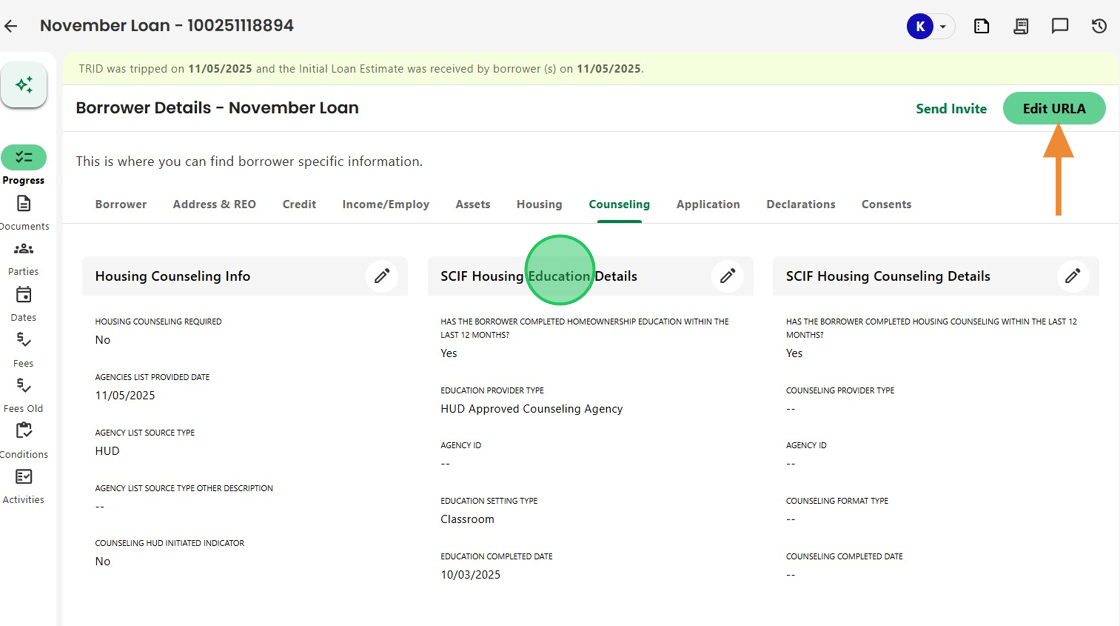
7. Use the pencil icon to edit any counseling or SCIF fields.
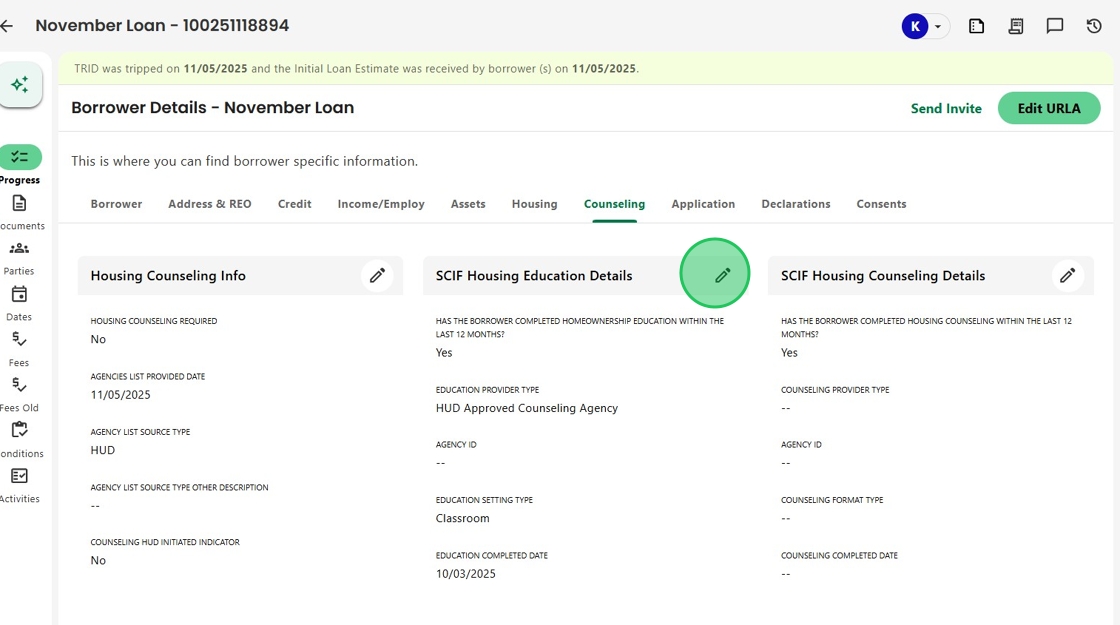
8. Once updated, click the check mark to save your changes.

Was this article helpful?
That’s Great!
Thank you for your feedback
Sorry! We couldn't be helpful
Thank you for your feedback
Feedback sent
We appreciate your effort and will try to fix the article