How to View/Edit Borrower HMDA Demographic Information
1. Maintaining accurate HMDA data is essential for compliance and fair lending. In this guide, we’ll walk through how to view and edit borrower HMDA demographic information in Charlie.
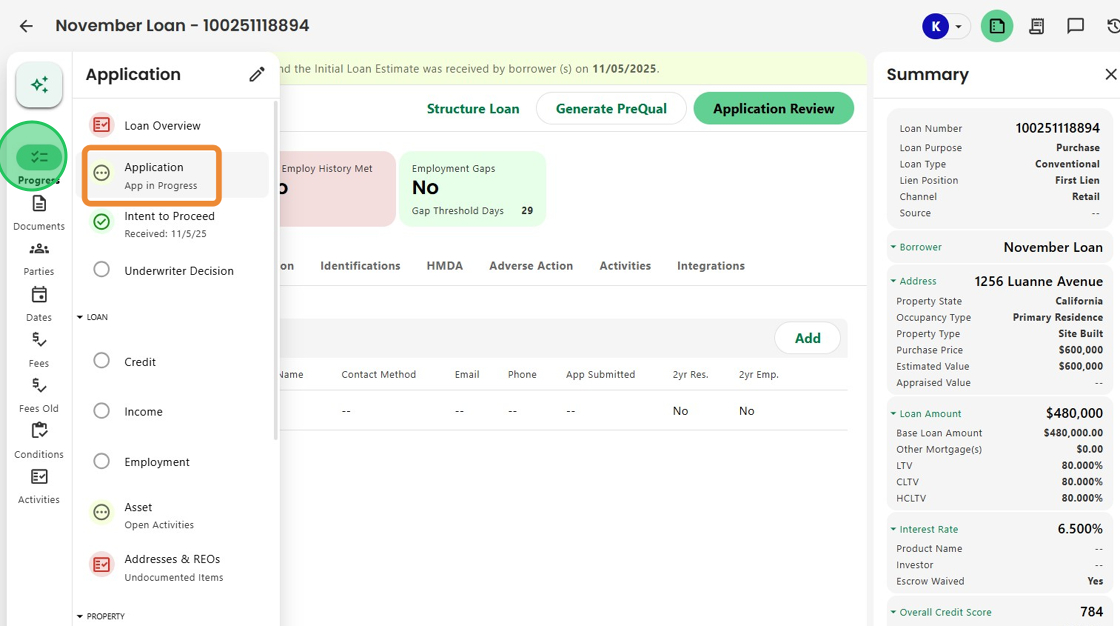
Start by navigating to the Application Progress Item from the left-hand menu.
2. Next, select the borrower whose demographic information you’d like to review.

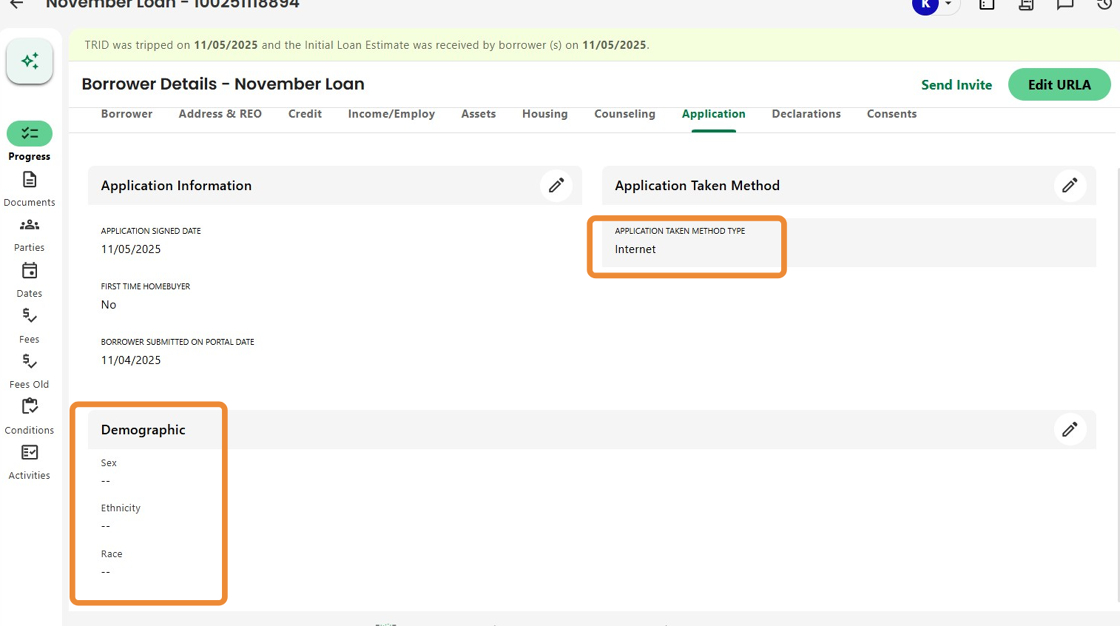
3. Click the Application tab to view borrower application details, including the demographic section.

4. If the borrower did not wish to provide this information and the Application Taken Method is Face to Face, click the pencil icon to make edits.

5. When editing, you can indicate that demographic information was collected based on visual observation or surname, as required.

6. Once all selections have been made, click the check mark to save.
The information is now updated and ready for HMDA reporting.
Note - the same fields are also available through the Edit URLA button, accessible from this screen.

7. If demographic information is missing and the application was completed online, Charlie can automatically trigger an activity for the borrower to complete, ensuring all required details are provided for a compliant application.
Was this article helpful?
That’s Great!
Thank you for your feedback
Sorry! We couldn't be helpful
Thank you for your feedback
Feedback sent
We appreciate your effort and will try to fix the article