In Charlie, all key credit report details are displayed directly on-screen, making it easy to review at a glance. If you need the full report, you can also view the PDF. This guide covers how to review both.
Instructions to View Borrower Credit
Step 1: Navigate to Borrower Detail
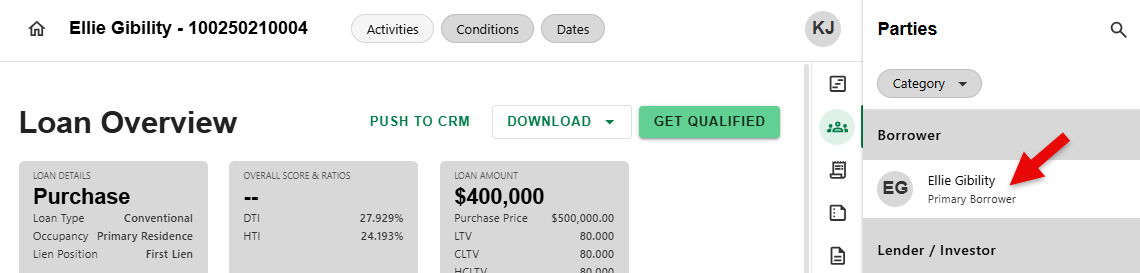
- To begin, click on a Borrower from the list in the Parties Overview sides sheet.
Step 2: Click Credit Tab
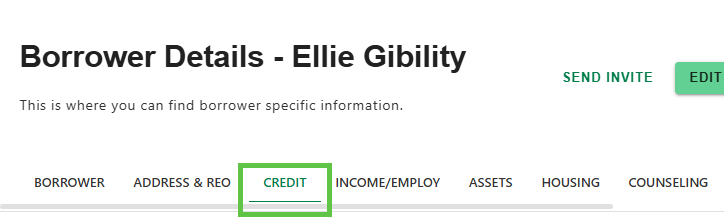
On the Borrower Details screen, click on the 'CREDIT' tab.
Step 3: Review Report Details
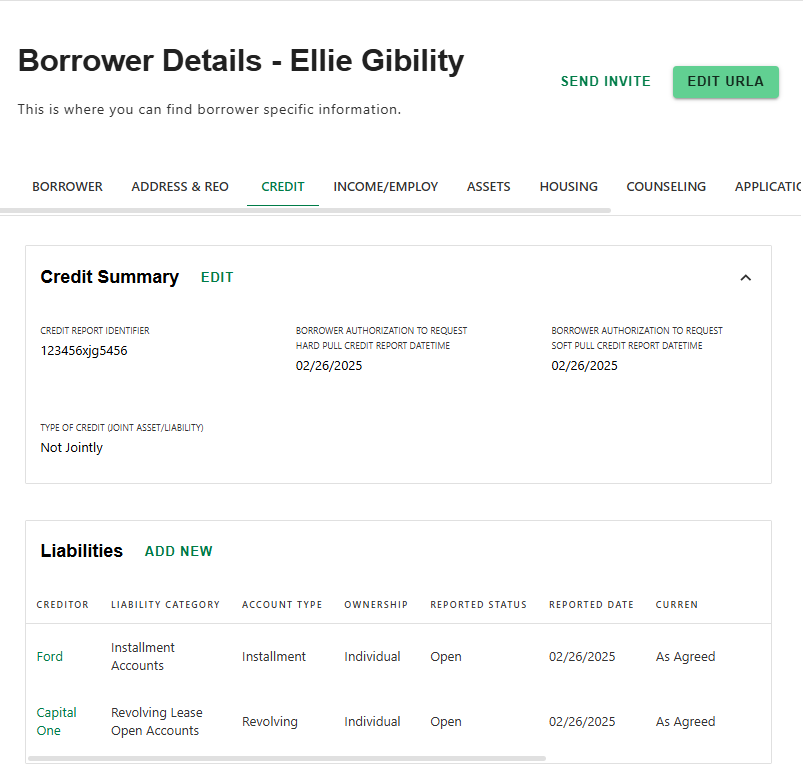
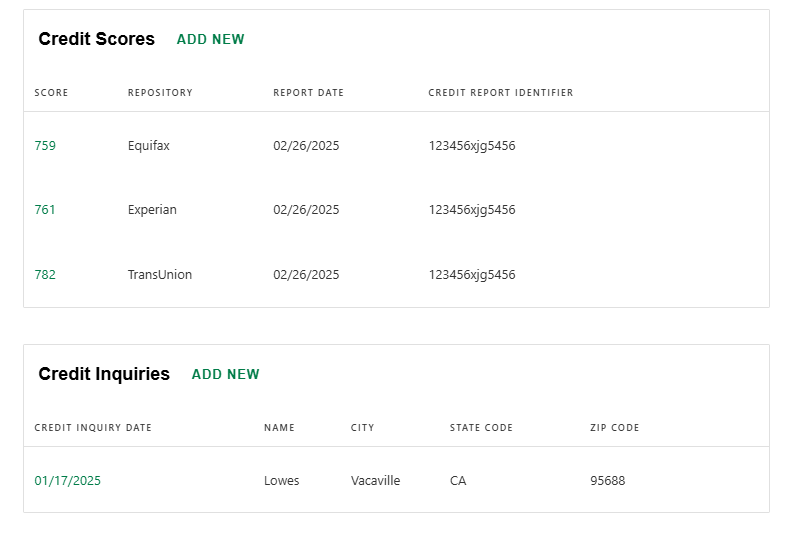
- Once the Credit Order is returned, the 'CREDIT' screen will be updated automatically with the credit report details, including accounts, credit scores and inquiries.
Step 4: Review Liability Details
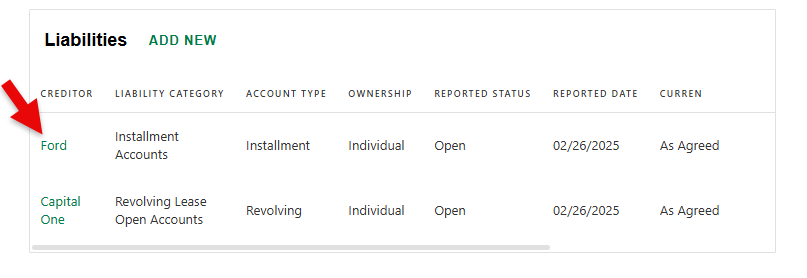
- To view account details and manage the liability, click the name of the creditor in the liabilities section.
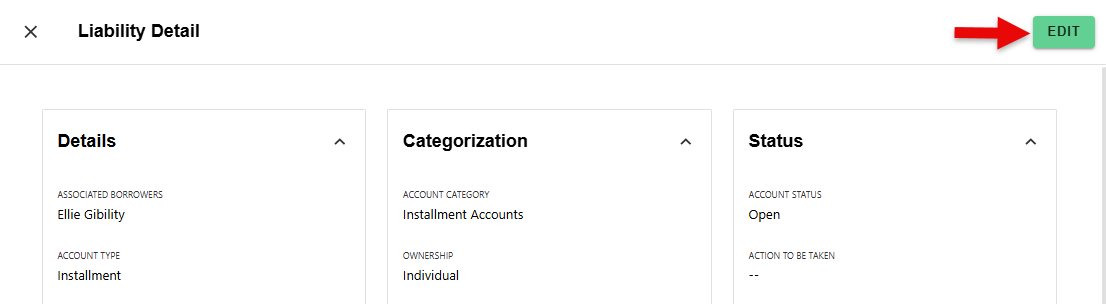
- Click 'EDIT' to update any of the fields.
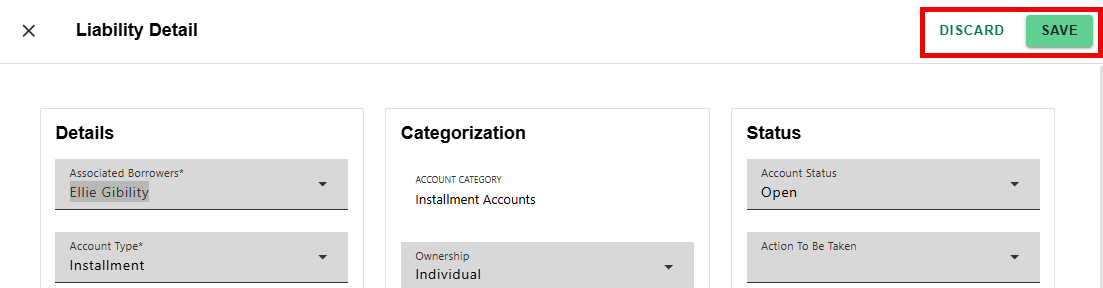
- Select 'SAVE' to apply changes or 'DISCARD' to cancel.
Step 5: Access PDF
- The PDF of the report can be viewed by selecting the 'Documents' section and filtering the 'Category' by Credit Report.
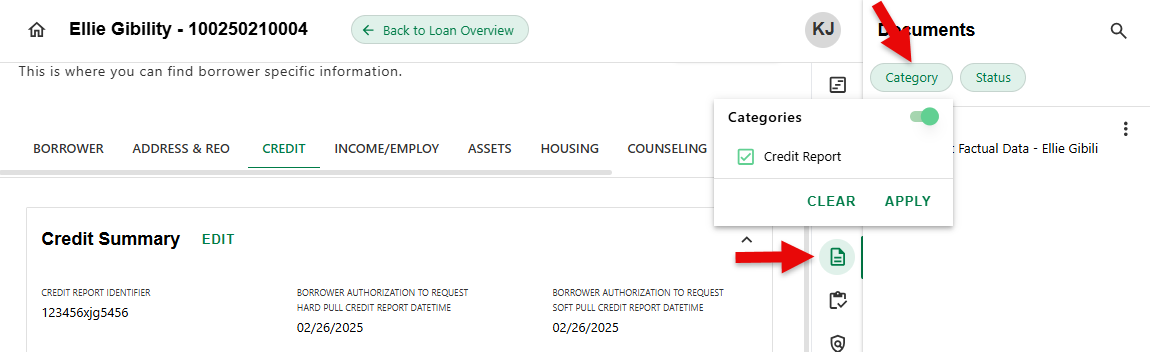
- Click on the report you wish to view.
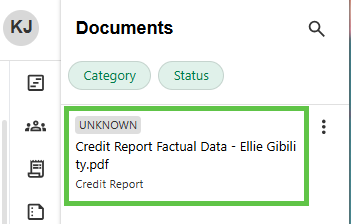
- View the PDF.
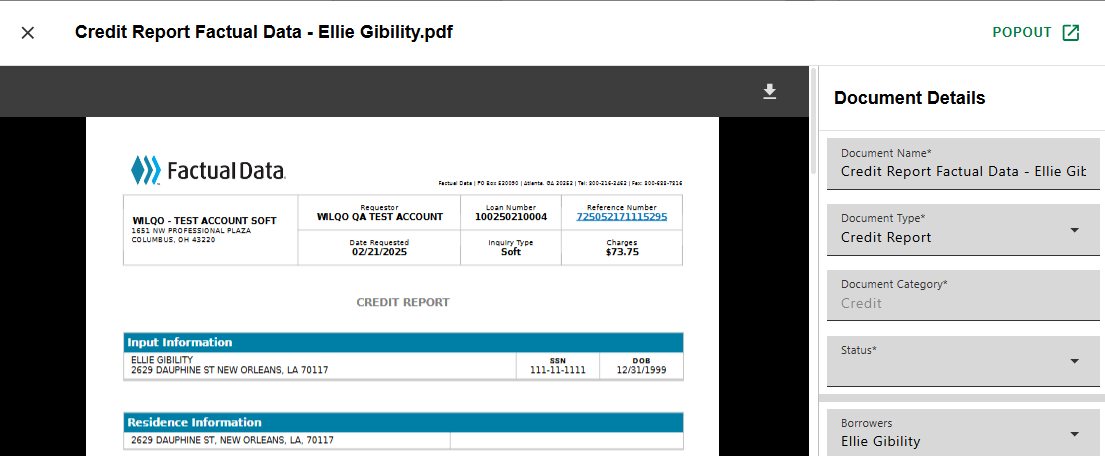
- Note - click 'POPOUT' on any Document to open on a different screen.

Loan level credit report details for all borrowers can be accessed by navigating to the 'Credit' Progress Item.
Was this article helpful?
That’s Great!
Thank you for your feedback
Sorry! We couldn't be helpful
Thank you for your feedback
Feedback sent
We appreciate your effort and will try to fix the article