The Annual Percentage Rate (APR) gives a full picture of loan costs. In Charlie, you can quickly view the APR from the Progress Item sheet.
Instructions to View Current APR
Step 1: Navigate to Fees Progress Item
- From any screen, navigate to the Progress Item sidesheet and locate the Fees Progress Item.
- The current APR is shown as subtext.
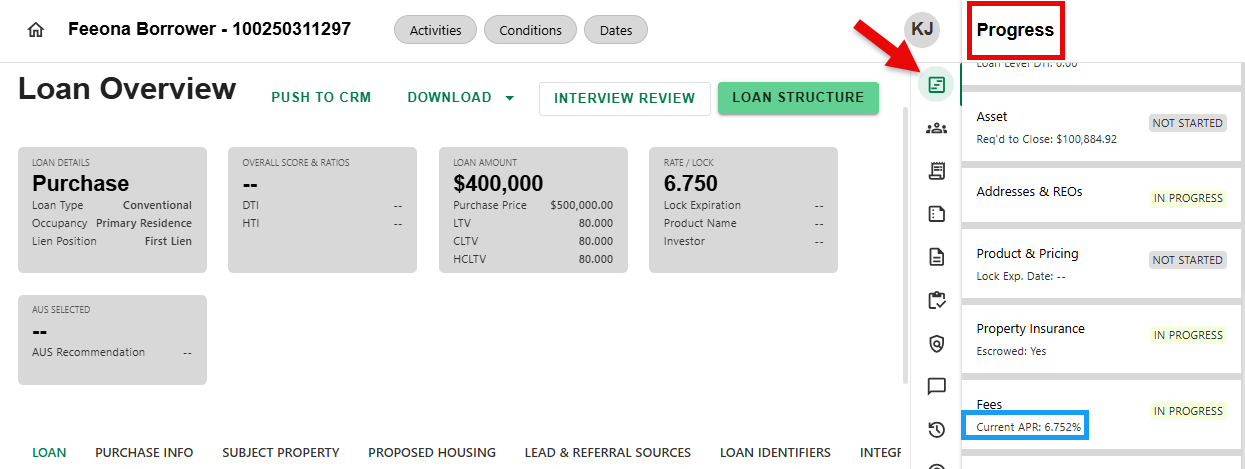
Current APR can also be viewed on both the Fees and Disclosures Progress Item detail screens.
Was this article helpful?
That’s Great!
Thank you for your feedback
Sorry! We couldn't be helpful
Thank you for your feedback
Feedback sent
We appreciate your effort and will try to fix the article