Fees Enhancements
1. The November release brings a redesigned Fees experience, delivering a cleaner interface, simplified navigation, faster editing, and stronger controls for accuracy and compliance.

2. Across the Fees module, important information has been repositioned to the left side for a more intuitive view.
For example, totals now appear directly beside each section name on the left, making them easier to spot at a glance.
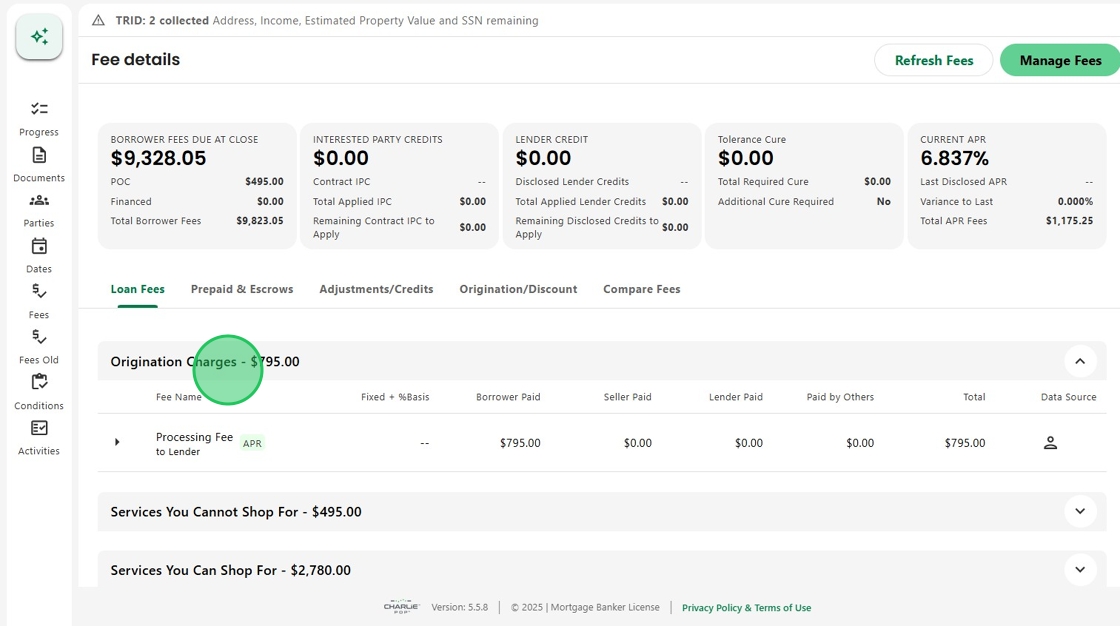
3. Subsections are convenient to access, with Additional Information just one click away.
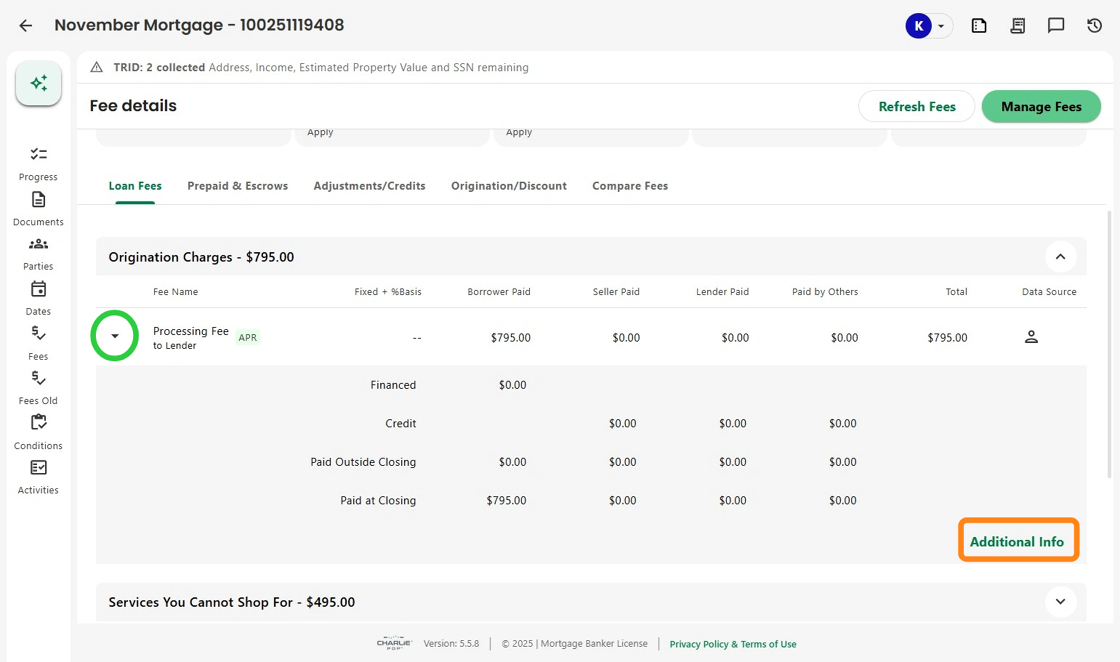
4. And the new Additional Info window provides a quick view of all of the fee's features.

5. With this release Managing Fees is now significantly faster.

6. Inline editing enables users to make updates directly on the page without opening modal windows.
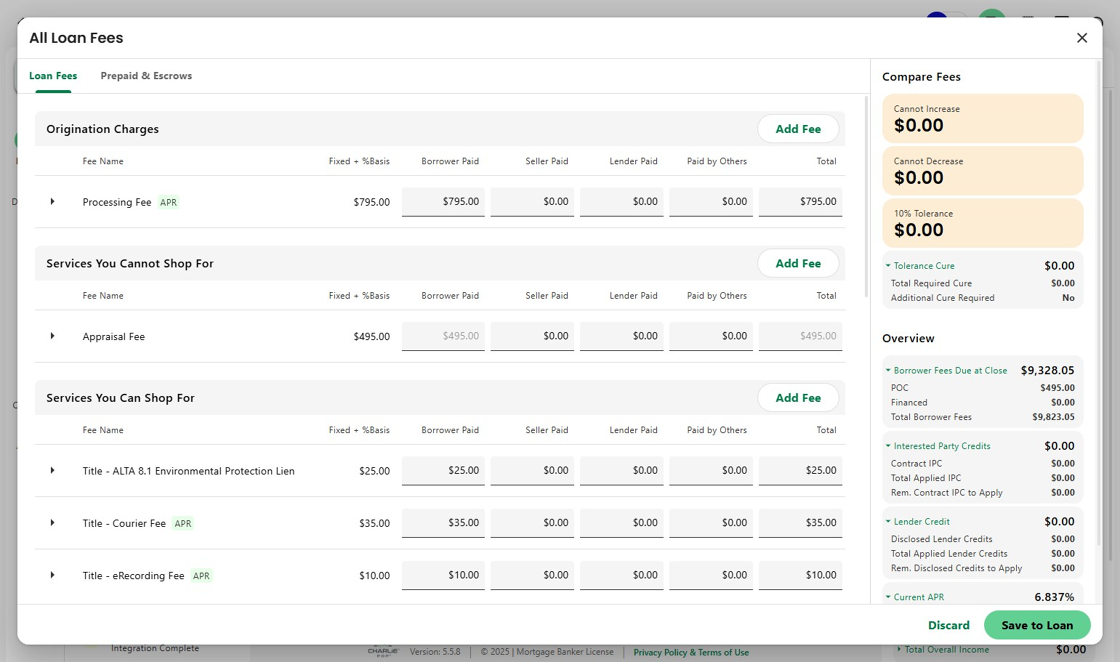
7. A new right-hand preview section now shows the direct, real-time impact of changes before they’re saved. Users can instantly see tolerance effects, updated fee totals, and APR adjustments.

8. Additional enhancements include the ability to remove a fee with a single action.
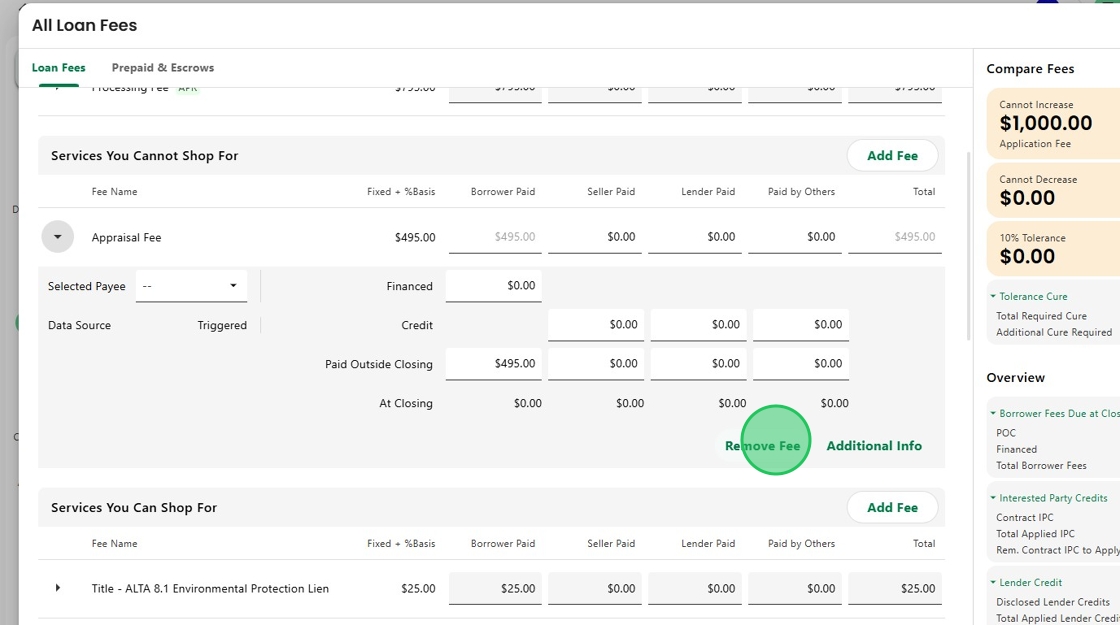
9. When the button is clicked, a message pops up asking the user to confirm removal of the fee.

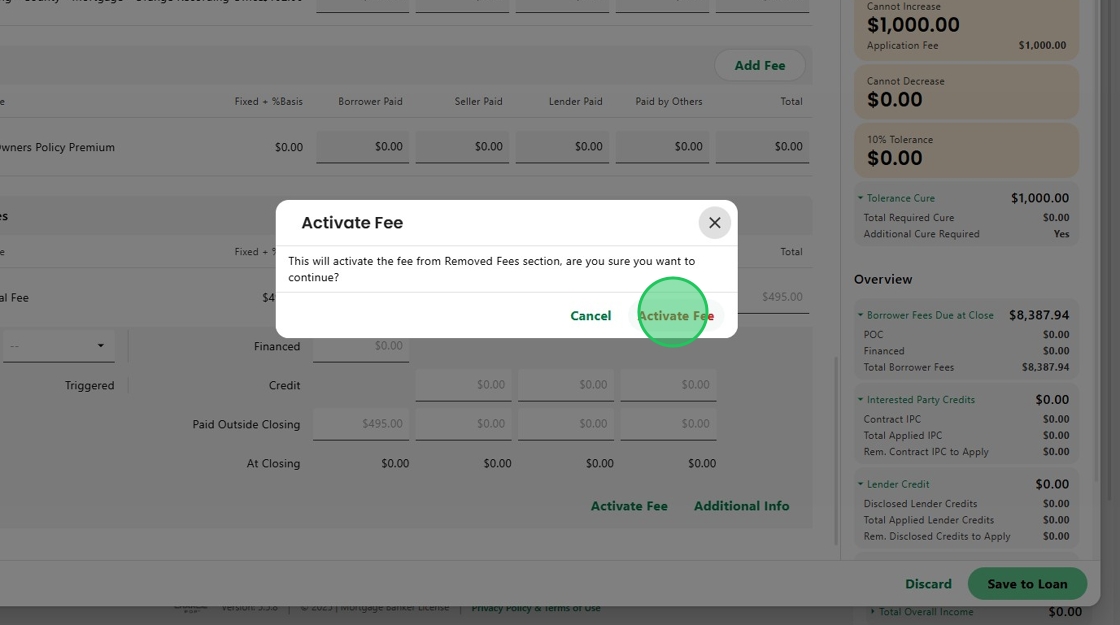
10. Removed fees are automatically stored in a dedicated “Removed Fees” section to preserve audit history and support compliance with 10% tolerance rules.

11. At any time, a user can click the Activate Fee button...

12. to restore the fee to its original section.
13. With the new design, permissioned users can update editable fee detail fields more easily within the Additional Info section.

14. And Invoice payment dates are displayed more clearly for quick entry.

15. Note, a safeguard prevents accidental loss of work or unintentional updates.
If a user attempts to exit without saving, a confirmation message prompts them to either discard changes or continue editing.

16. Enhancements also include a new Snapshot Fees button, allowing authorized users to override last-disclosed values in rare edge cases, such as disclosure generation issues,

17. by matching the last disclosed fees to the current ones.

18. Finally, a key fix improves usability:
The manual override indicator for escrows and prepaids now updates immediately when checked.

19. All dynamic fields open right away, eliminating the previous lag that caused confusion.

Was this article helpful?
That’s Great!
Thank you for your feedback
Sorry! We couldn't be helpful
Thank you for your feedback
Feedback sent
We appreciate your effort and will try to fix the article