Disclosure Event Creation
1. With the November release, Charlie now creates more automatic disclosure and re-disclosure events based on key triggers, such as when TRID is tripped or when a rate is locked after initial disclosure.
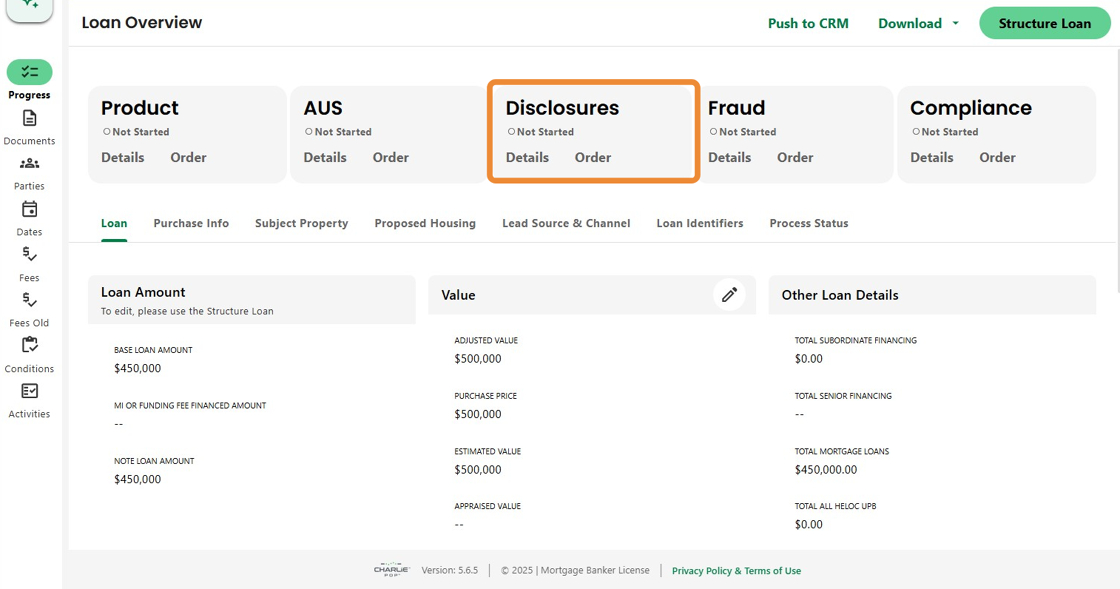
2. Using TRID as an example:
Once all required items are entered, Charlie displays an alert banner notifying users that a disclosure action is required.

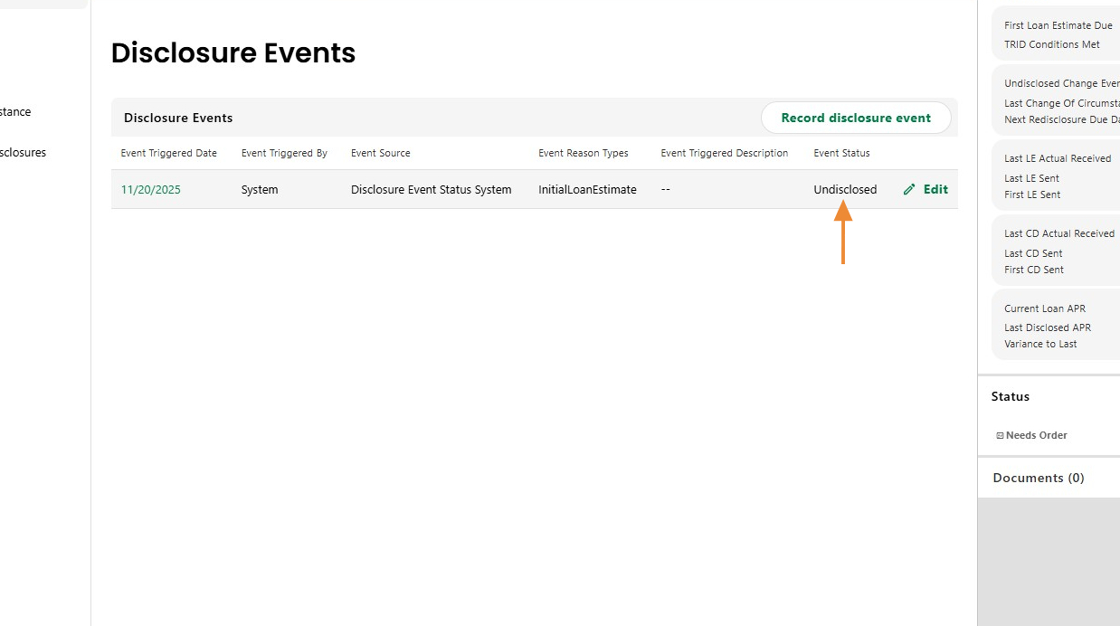
3. At that same moment, a disclosure event is automatically created in the system.
This event can be assigned as an activity to the appropriate skillset.

4. Each event record clearly shows how and why the event was triggered, along with an easy-to-read status indicator.
The status updates automatically once the event is disclosed, reducing manual tracking and potential errors.
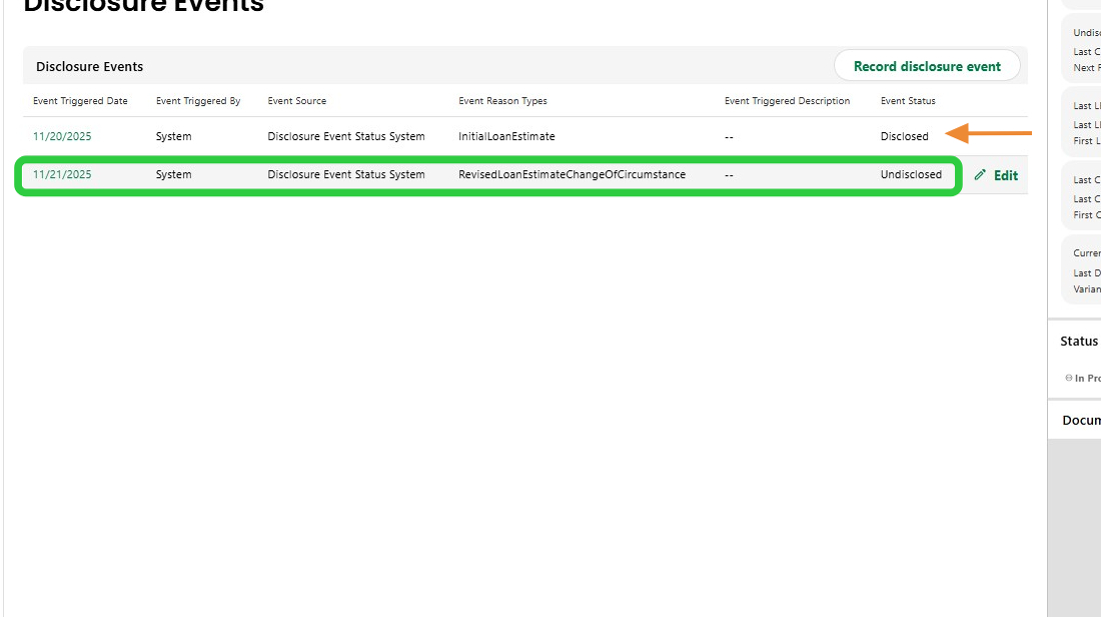
5. Event history is fully captured and updates dynamically.
The screen displays the current active event—for example, a Change of Circumstance triggered by a tolerance impacted fee change —along with the complete history of prior disclosed events.
6. These enhancements automate critical disclosure workflows, reduce manual intervention, and ensure clearer, more accurate compliance tracking across the entire loan process.

Was this article helpful?
That’s Great!
Thank you for your feedback
Sorry! We couldn't be helpful
Thank you for your feedback
Feedback sent
We appreciate your effort and will try to fix the article