Progress Items can be submitted to underwriting as soon as they are ready, based on their status.
A full file review can also be requested anytime when needed. Charlie streamlines the request for loan-level decisions into a single, easy process.
Instructions To Request an Underwriting Decision
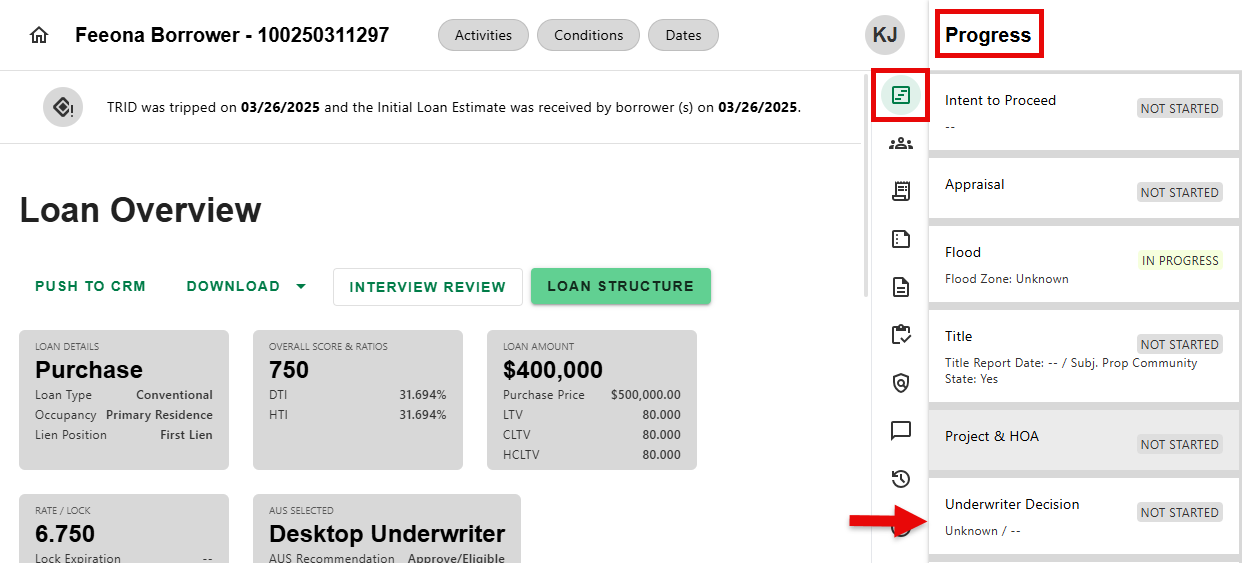
Step 1: Navigate to Underwriter Decision Progress Item
- From any screen, navigate to the Progress Item Sidesheet and select the Underwriter Decision Progress Item.
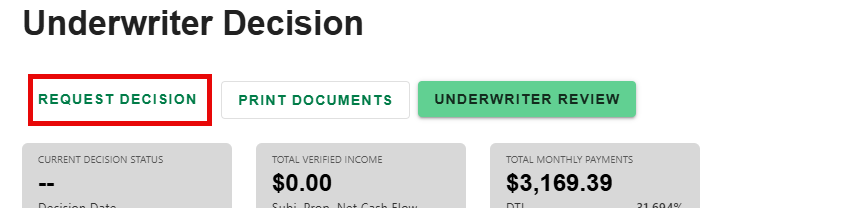
Step 2: Click on Request Decision
- Click on the 'REQUEST DECISION' button on the Underwriter Decision details screen.
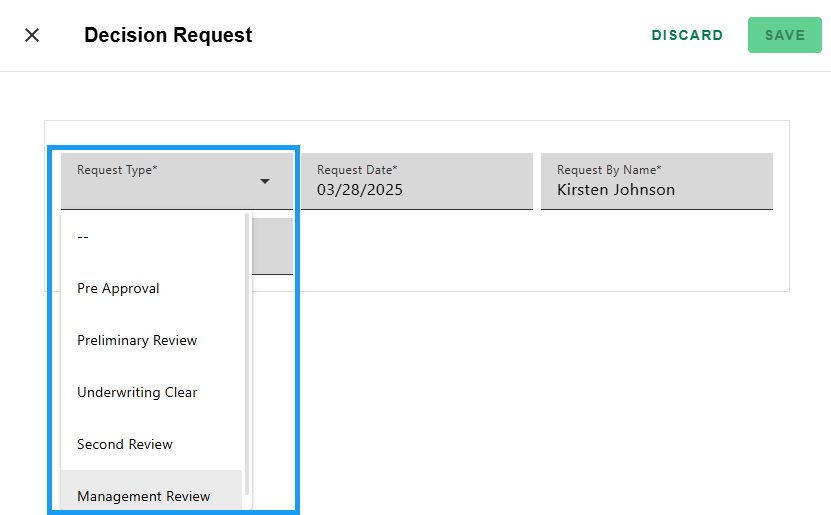
Step 3: Select the Request Type
- Select the 'Request Type' from the dropdown on the Decision Request screen.
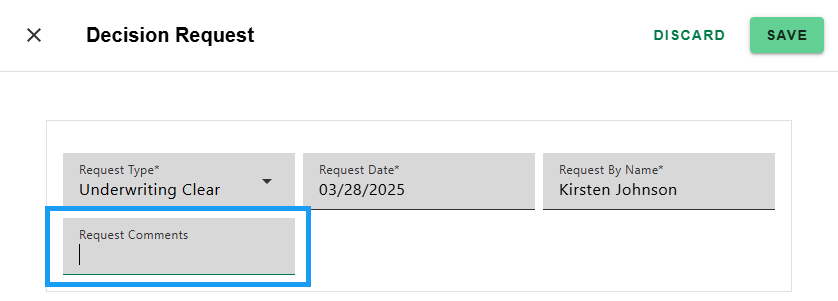
Step 4: Enter Comments and Save
- Add any 'Request Comments' for the underwriter then click 'SAVE' to create request or 'DISCARD' to cancel. The Request Date and Request By Name populate automatically.
Step 5: Review Request
- Request can be viewed on the 'DECISIONS' tab of the Underwriter Decision Progress Item detail screen in the 'Decision Request/Response section.
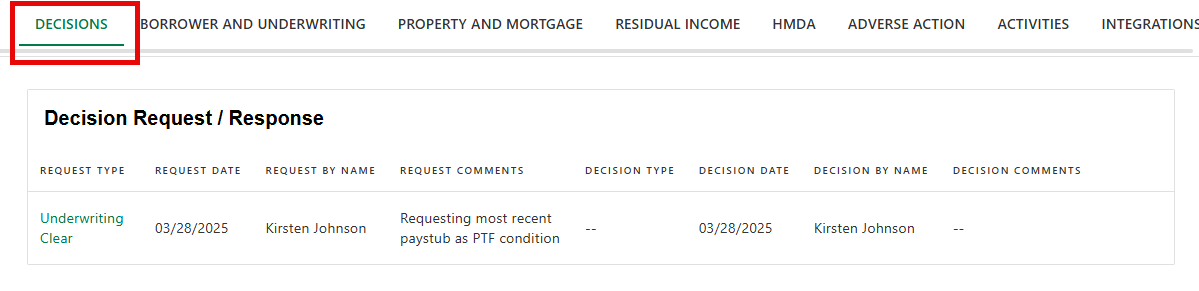
When the underwriter renders a decision, the table will be updated.
Was this article helpful?
That’s Great!
Thank you for your feedback
Sorry! We couldn't be helpful
Thank you for your feedback
Feedback sent
We appreciate your effort and will try to fix the article