Structure Loan - 'Scenario' Status
1. With the June release, it is now easy to identify scenario-based inputs.

2. Entering scenario details—such as Income, Assets, and Liabilities—on the Structure Loan screen automatically generates corresponding records.

3. Using Income as an example, $8500 is entered as the Total Monthly Income amount. You'll see it updates the DTI in the Overview on the right.
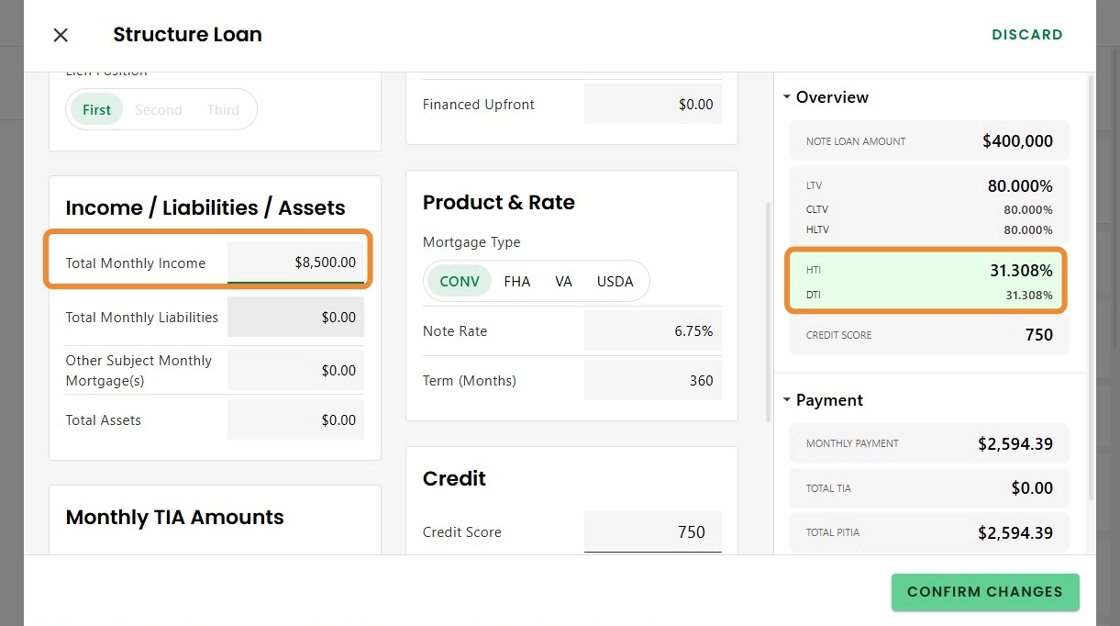
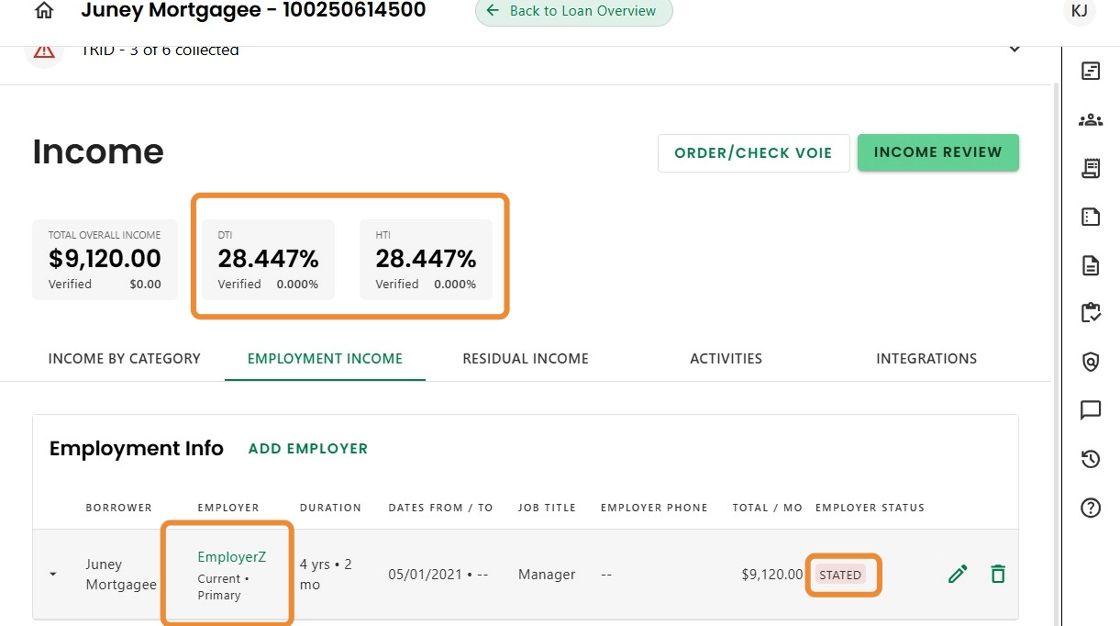
4. In both the Income Progress Item and the Income Review advanced activity, the scenario-based ratios are carried over, generating a record that includes a placeholder for the Employer Name and a Status set to 'Scenario'.

5. Once actual values are entered for the Employer and Income,

6. the ratios, Employer Name, income amount, and any other entered details are automatically updated. The Status flag is then set to 'Stated' by default.
If the values are instead provided through an integration, the Status changes to 'Received', and the verified data seamlessly replaces any placeholder information.
Was this article helpful?
That’s Great!
Thank you for your feedback
Sorry! We couldn't be helpful
Thank you for your feedback
Feedback sent
We appreciate your effort and will try to fix the article