Structure Loan Screen
Charlie’s Structure Loan screen has been streamlined for faster access and improved usability.
1. The Structure Loan screen is now accessible from the Homepage, allowing for quick input without accessing a loan.

2. After entering the details, there are 2 options to proceed.

3. Selecting 'Create Loan' will carry all of the values over to a new loan.
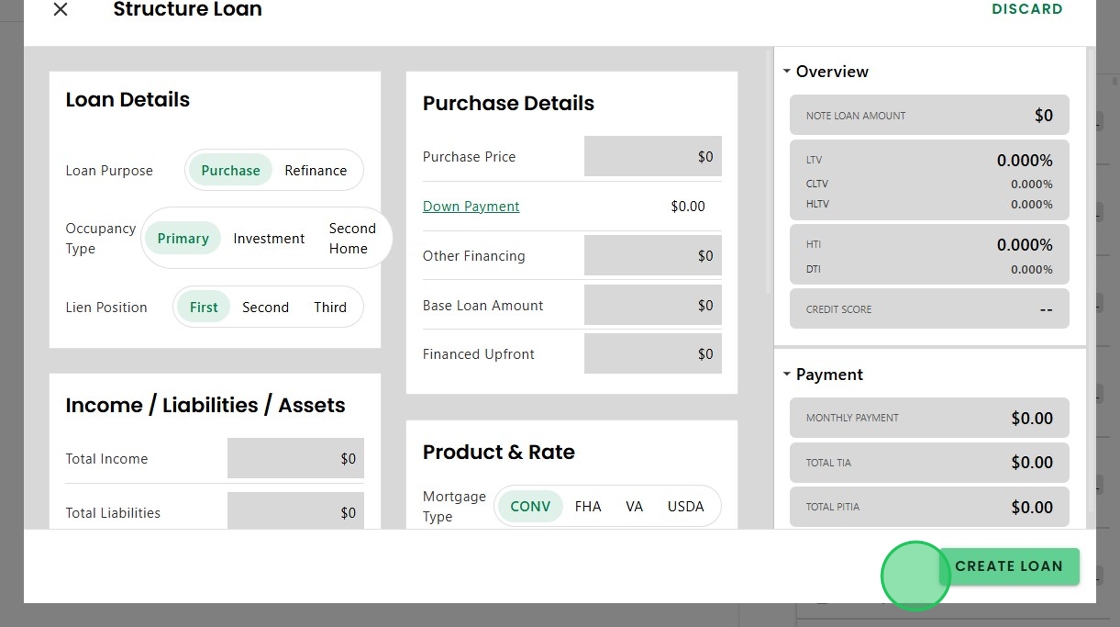
4. While 'Discard' will return to the Homepage without saving.

5. Within the Structure Loan screen, Charlie now has color cues, highlighting information that is changing as data is entered, so users always know the system is working behind the scenes and can see real-time impact.

6. There are also new Proactive Alerts when making high-impact changes that affect the loan. For example, changing the Occupancy Type from Primary to Investment after the loan has been disclosed.

7. Upon updating and clicking "Confirm Changes',

8. An alert appears advising the loan has already been disclosed, asking if the user wants to proceed.

9. Clicking 'Discard' will return to the Structure Loan screen
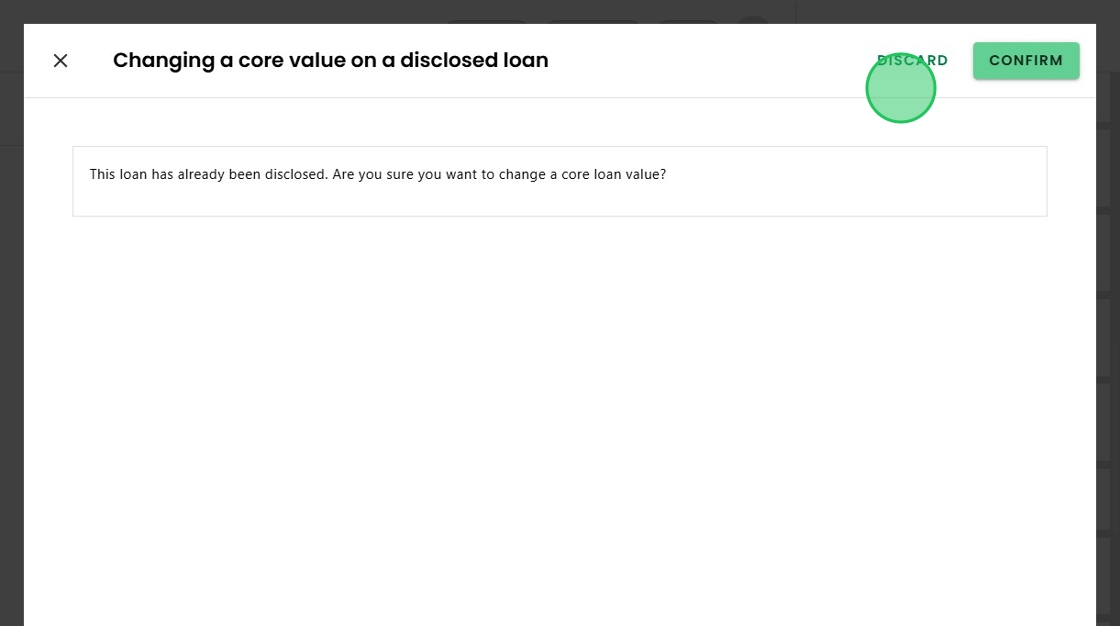
10. Clicking 'Confirm' to proceed with the changes will initiate the next step,

11. Which, in this case, navigates the user to the Change of Circumstance screen, alerting of a possible CoC.

Was this article helpful?
That’s Great!
Thank you for your feedback
Sorry! We couldn't be helpful
Thank you for your feedback
Feedback sent
We appreciate your effort and will try to fix the article