New Application Progress Item
A new Application Progress Item has been added to give quicker, easier access to borrower applications and key details.
1. The new Application Progress Item provides one-click access to all borrower information.

2. By Selecting 'Edit' within the Borrower Profile on the Application Tab, there is a direct link to the Uniform Residential Loan Application.

3. There, all application details can be viewed, added or updated.

4. Services like ordering credit, getting product and pricing and running AUS can also be initiated.

5. Clicking on the borrower name opens their centralized profile.

6. There, navigation is made simple with separate category tabs.

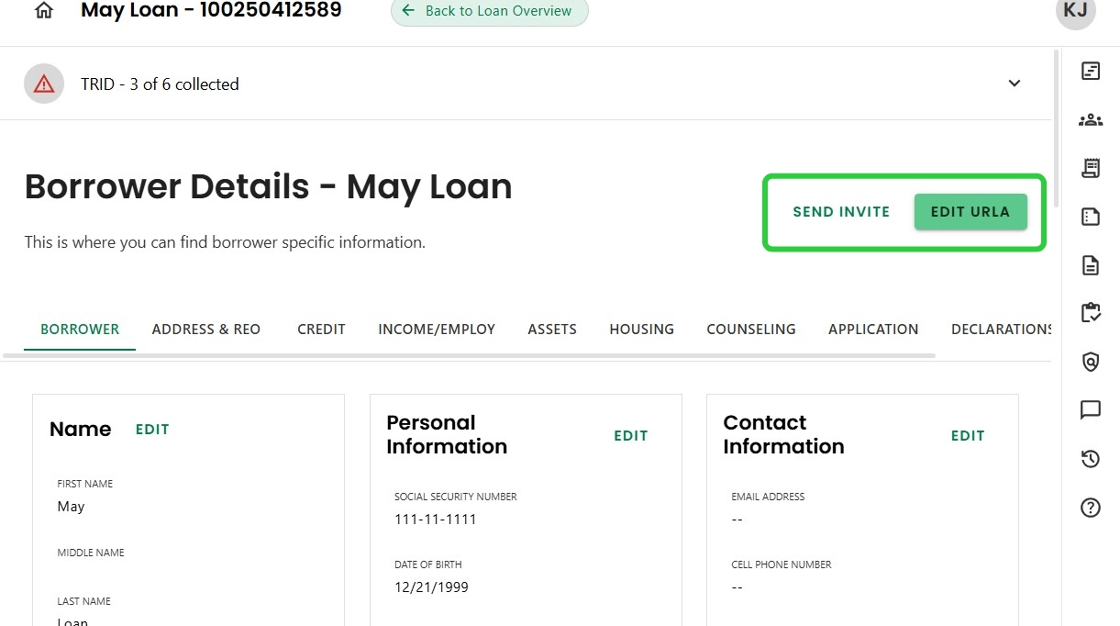
7. From the Borrower Detail screen, there is easy access back to the URLA as well as a 'Send Invite' link for the borrower to complete the application.
8. The Application Progress Item includes a Prequalification tab, where all details needed for a Prequal letter can be viewed and edited.
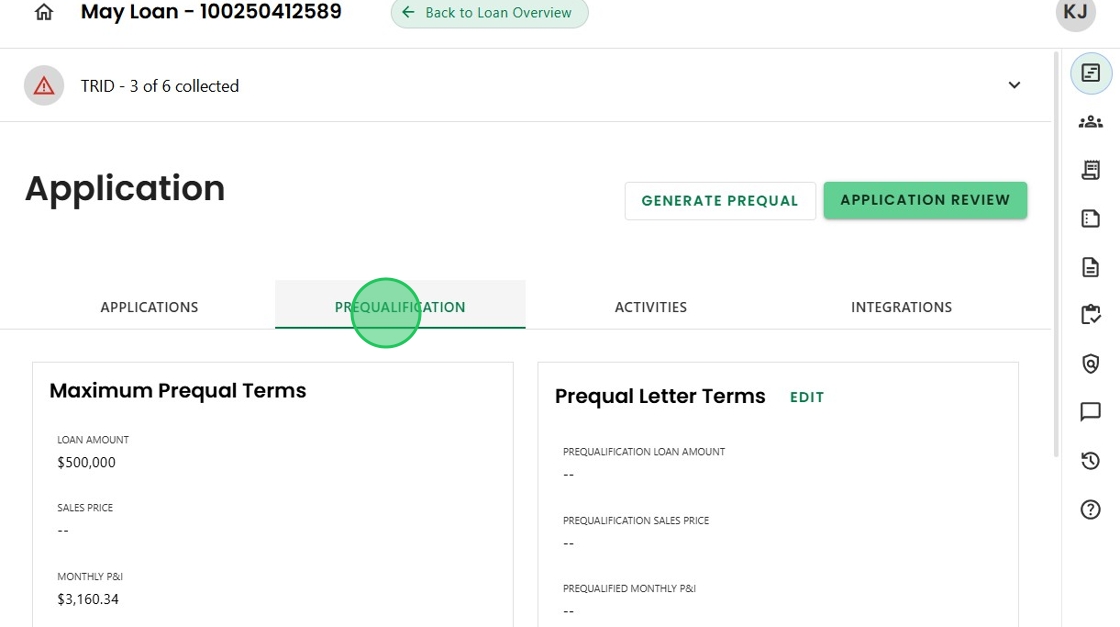
9. Once ready, clicking the 'Generate Prequal' button will create a PDF to send to the borrower and their agent.

10. There are sections for all application related Activities,

11. And all Integrations that have been run in association with the application.

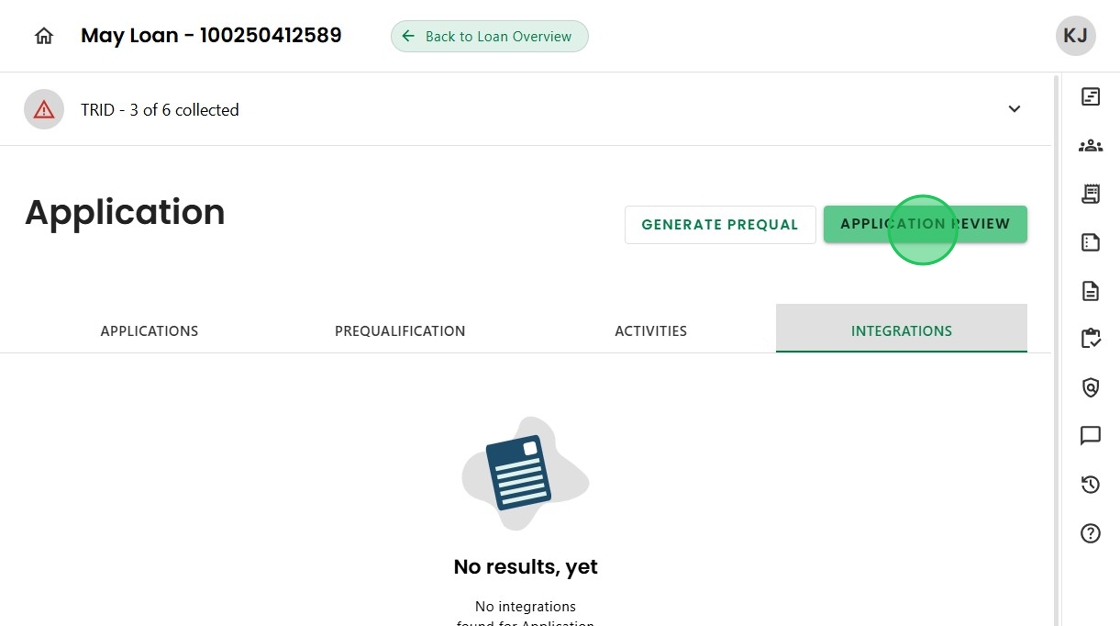
12. The Application Review Advanced Activity can also be accessed from the Application Progress Item, making it a true "one stop shop."
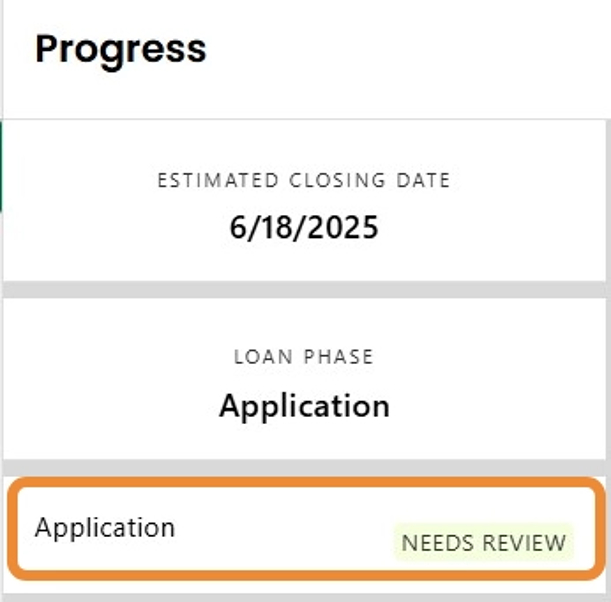
13. And finally, and importantly, having a Progress Item for the Application allows Charlie to use the status to automatically trigger relevant Activities.
Was this article helpful?
That’s Great!
Thank you for your feedback
Sorry! We couldn't be helpful
Thank you for your feedback
Feedback sent
We appreciate your effort and will try to fix the article