Charlie Workflow Automation
1. Smarter and more connected than ever, Charlie’s automations, within the new design, bring the platform closer to a truly intelligent lending ecosystem.
Automatic status updates and triggered activities keep workflows moving in real time with adaptive logic and dynamic changes.
Let’s walk through an example using the TRID Tracking Progress Item.
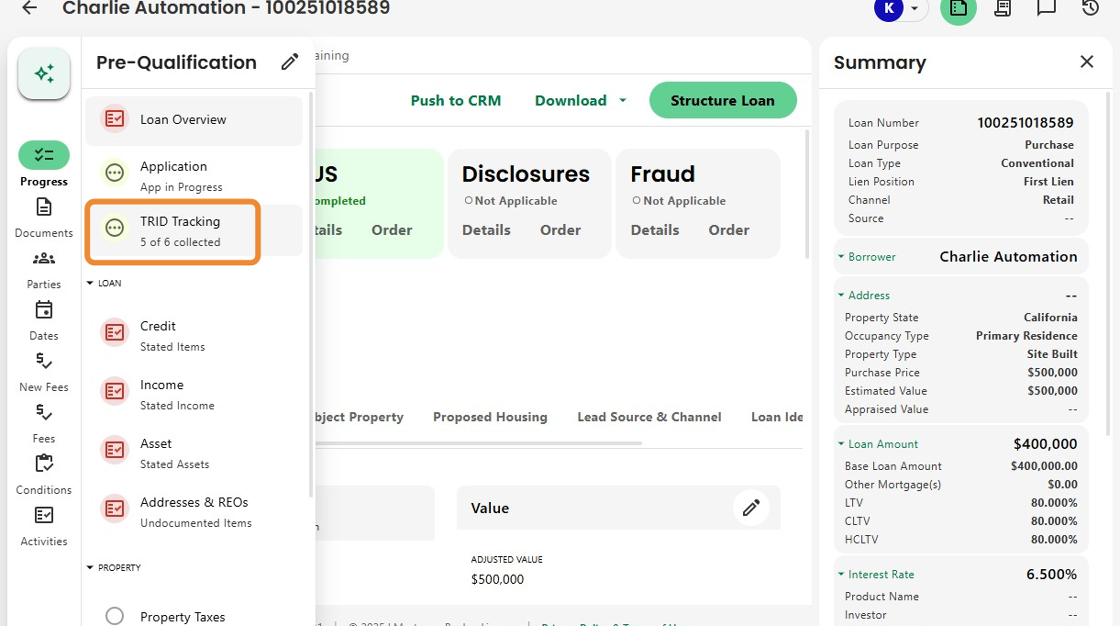
2. Here, the Progress Item status shows In Progress with five of six TRID items collected.
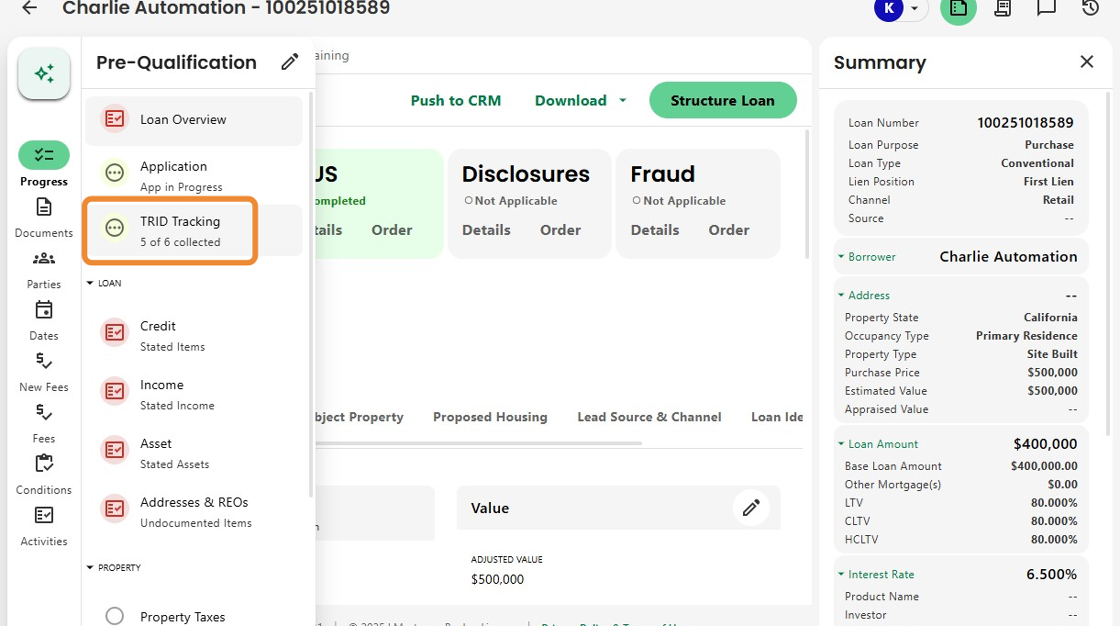
3. The banner alert indicates that the subject property address is the one remaining item.

4. Disclosures haven’t yet activated because not all required data has been entered.

5. As soon as the address is added...

6. …a new banner immediately appears showing that the Initial Loan Estimate is due.
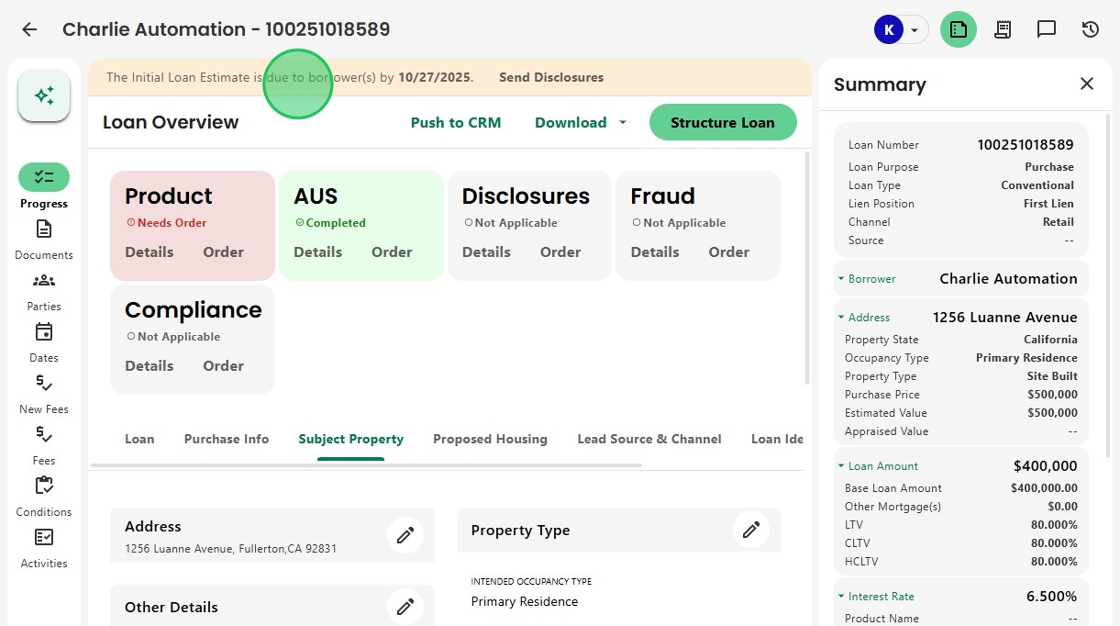
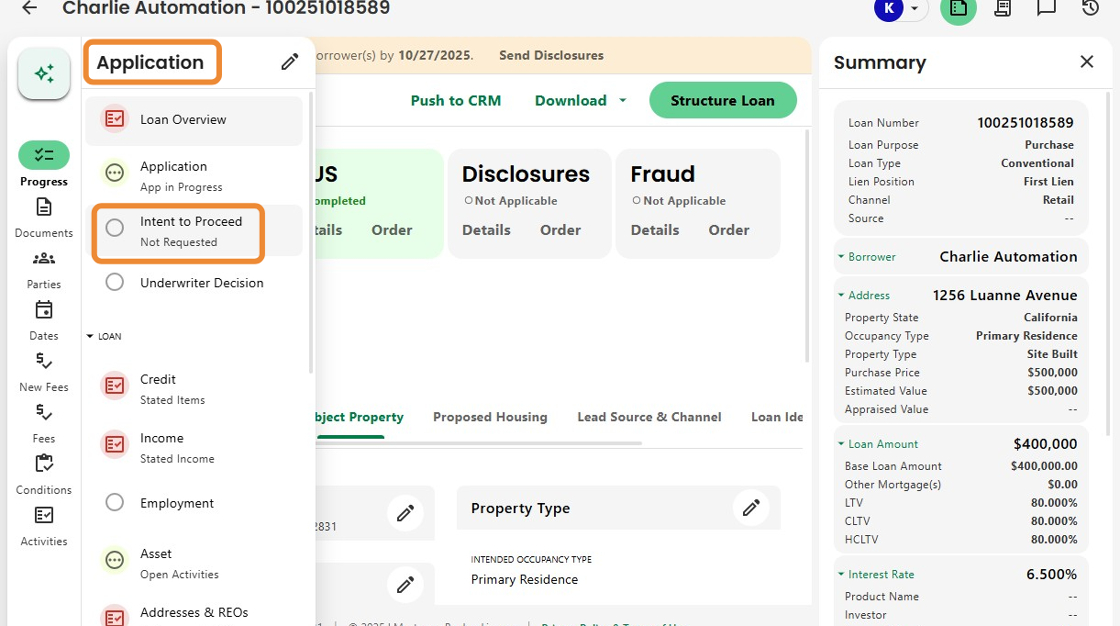
7. At the same time, the Loan Phase automatically moves from Pre-Qualification to Application.
The Intent to Proceed Progress Item replaces TRID Tracking, showing a status of Not Requested.
8. The Disclosures Info Box updates to an Action Needed color, identifying that the Initial LE is due and an activity is automatically created to send disclosures.

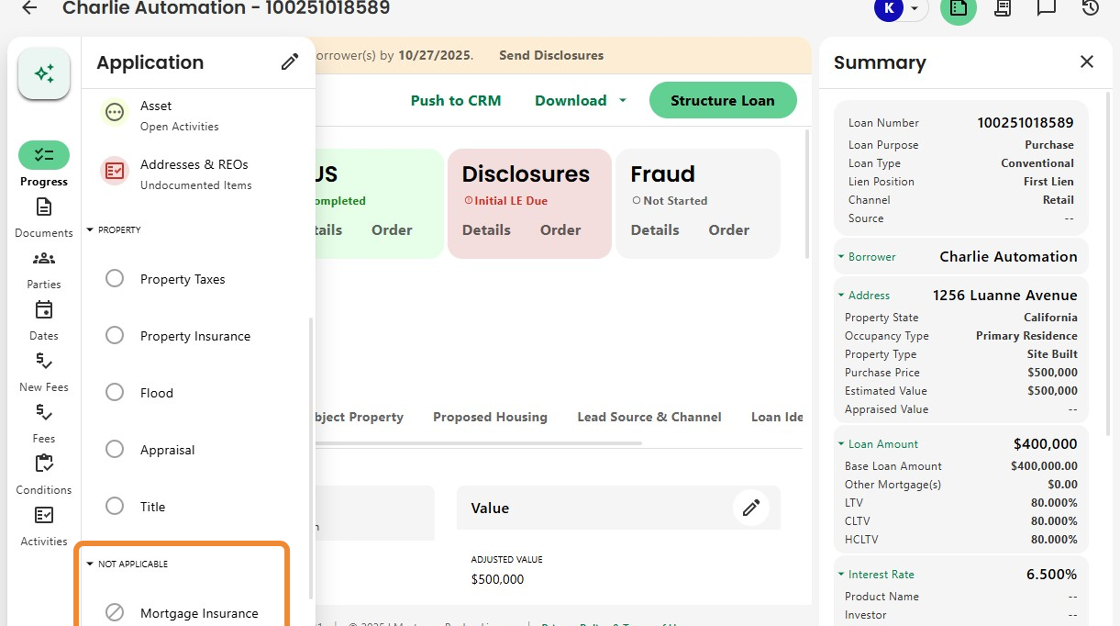
9. Charlie’s smart logic also hides irrelevant items.
For example, when Mortgage Insurance isn’t required, that Progress Item is automatically moved to a Not Applicable section.
10. And finally, automation expands even further. Fraud report orders can now be configured to trigger automatically based on status.
This removes manual steps and lays the foundation for broader integration automation across the platform.

Was this article helpful?
That’s Great!
Thank you for your feedback
Sorry! We couldn't be helpful
Thank you for your feedback
Feedback sent
We appreciate your effort and will try to fix the article