Document Window
Streamlined document handling in one consistent view across Charlie
1. The Document Window display is now uniform across Review activities and Progress Items in Charlie.

2. Take for example a paystub. When accessed through the Documents side panel,

3. the display, with a guided review of the document and prepopulated extracted fields,

4. is exactly the same as what is shown in both the Income and Underwriter Review advanced activities.

5. Wherever the document is found, the experience is the same.
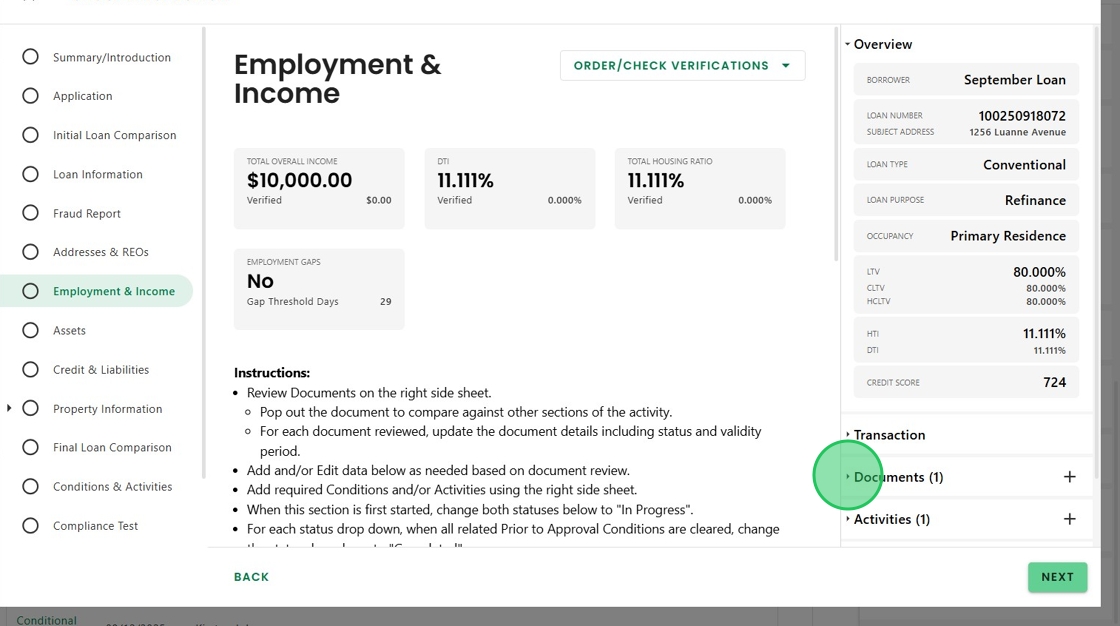
6. Additionally, new documents can be added without leaving the screen the user is working on. Simply click the plus sign,

7. upload the new document,

8. click 'Classify and Extract',

9. And the Document Window appears, ready for review, creating a seamless workflow.

Was this article helpful?
That’s Great!
Thank you for your feedback
Sorry! We couldn't be helpful
Thank you for your feedback
Feedback sent
We appreciate your effort and will try to fix the article