Advanced Activity Reviews - Overview Side Panel Enhancements
1. Advanced Activity Reviews in Charlie now highlight key details at a glance, with dynamic content based on Review type.
The Overview side sheet consistently displays Loan Number, Borrower Name, and Subject Property.
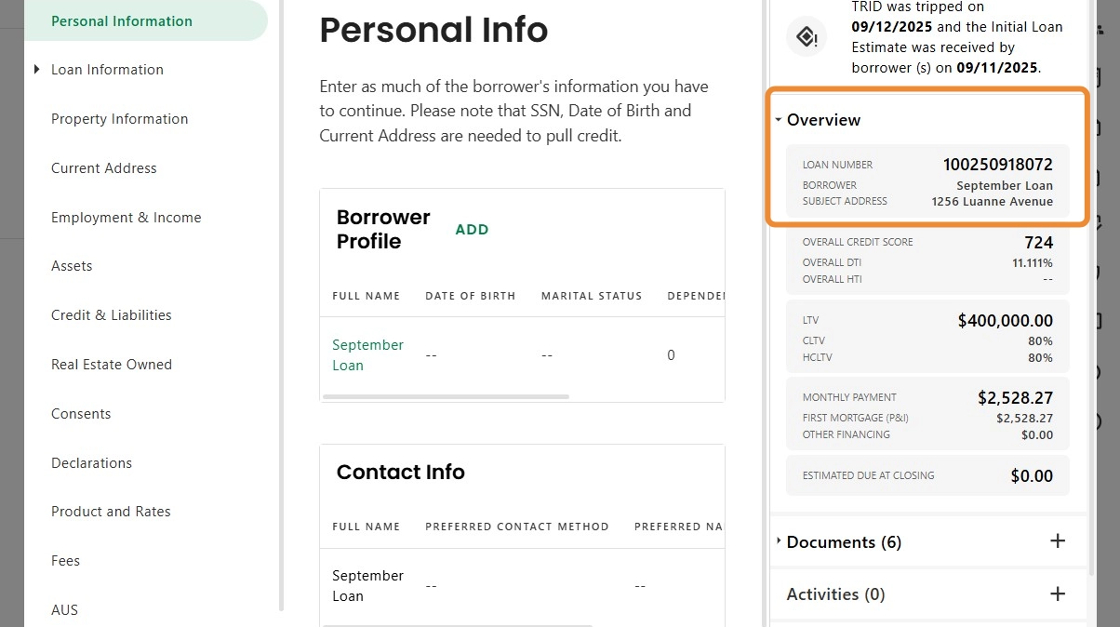
2. The rest of the panels change based on the type of checklist.
For instance, in the Asset Review, Required and Verified Funds to Close, Reserves, Total Funds, Total Assets and Large Deposit Threshold Amounts are shown.

3. Switching over to the Income Review, the panels contain the Total and Verified Income and DTI and HTI.
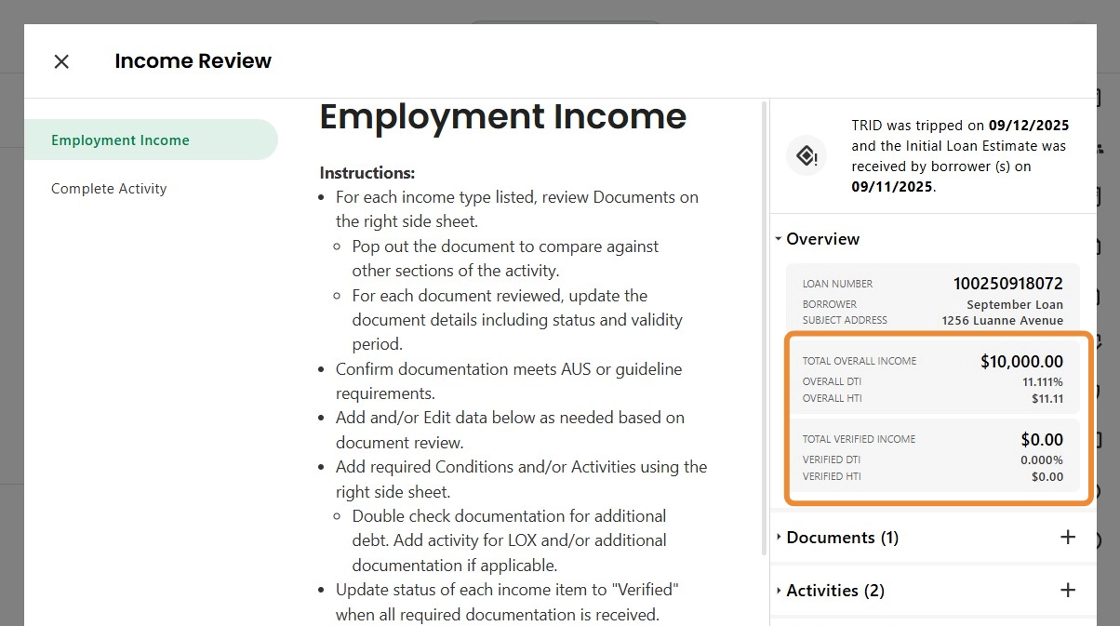
4. In addition, improved smart filters are applied to the Documents, Activities and Conditions. Only the items related to the Review are shown, making workflows faster and more efficient across the platform.

Was this article helpful?
That’s Great!
Thank you for your feedback
Sorry! We couldn't be helpful
Thank you for your feedback
Feedback sent
We appreciate your effort and will try to fix the article