Build Your Own Report
1. The first release of self-service reporting is here!

2. Accessing raw data in Charlie creates the opportunity to build reports with a few simple steps, all without technical assistance.

3. Let me show you. Begin by clicking on the 'Build Report' tab.

4. Then give the report a title.

5. Start typing a name to choose the desired fields from the dropdown list

6. Once all fields are selected, click 'Submit' to generate the report.

7. Each field includes a filter function to adjust the report’s order.

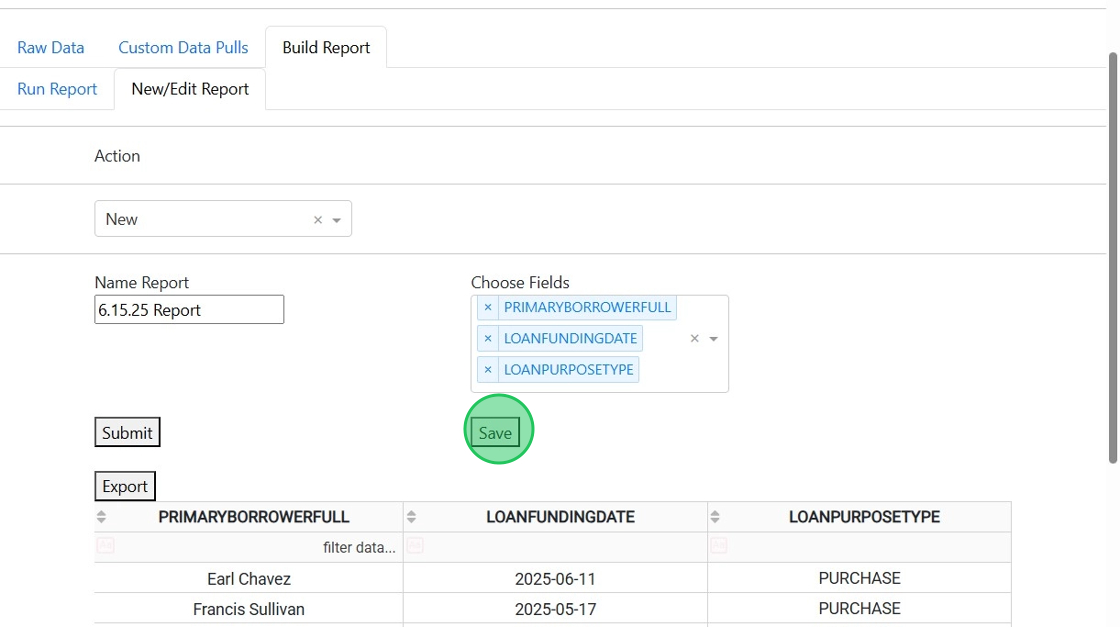
8. Once ready, the report can be saved for future use, edits or analysis.
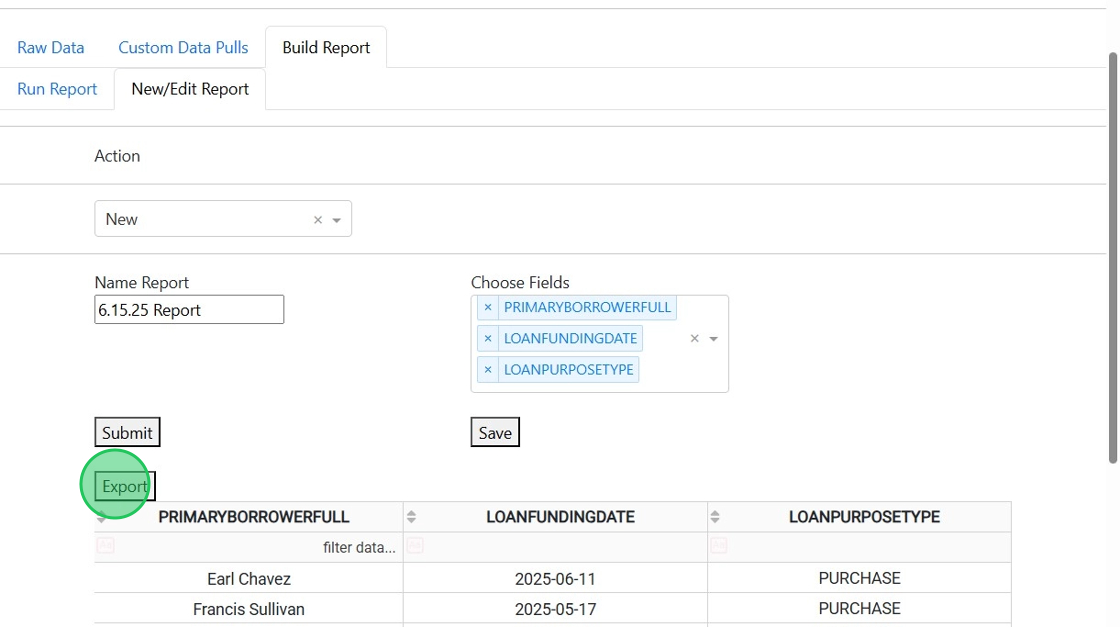
9. And it can be exported to share with stakeholders.
10. Editing a report is equally as easy.

11. Simply select the Saved Report to add or remove any fields.

12. Then click 'Submit' to generate a new report.

13. Use the same steps to save and export the updated report.
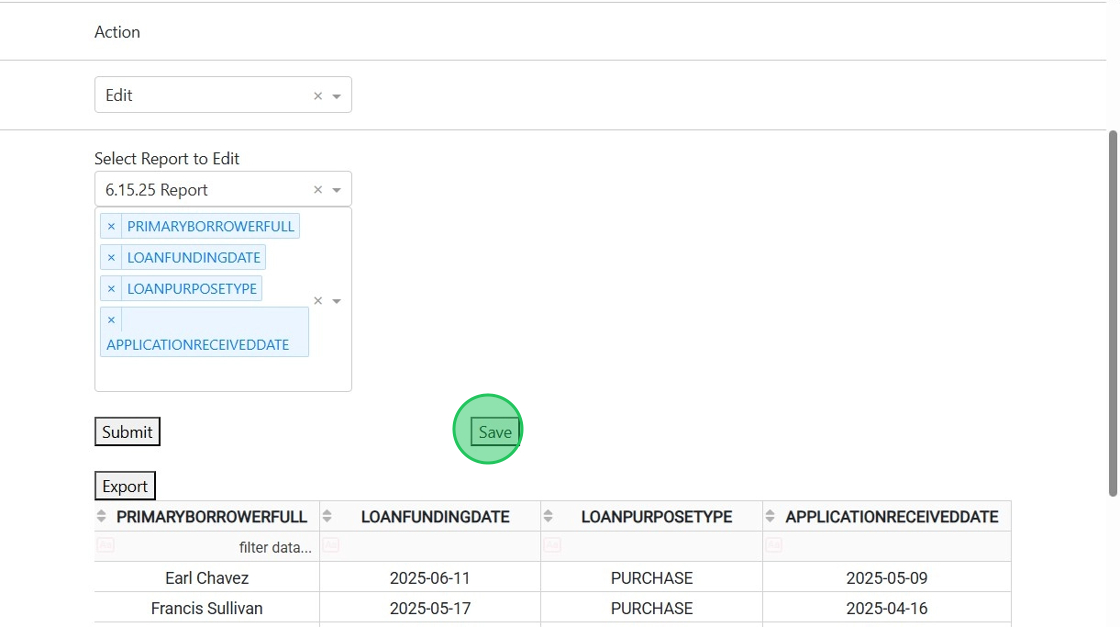
14. Saved Reports can be run, edited and exported at anytime, empowering users to manage their own reports.

Was this article helpful?
That’s Great!
Thank you for your feedback
Sorry! We couldn't be helpful
Thank you for your feedback
Feedback sent
We appreciate your effort and will try to fix the article