New Charlie Design & Navigation
1. Introducing a bold new look for Charlie!!! The redesigned interface delivers a cleaner, more intuitive experience that transforms how users navigate and manage loans.

2. The new left-side menu keeps tools and workflows within easy reach.
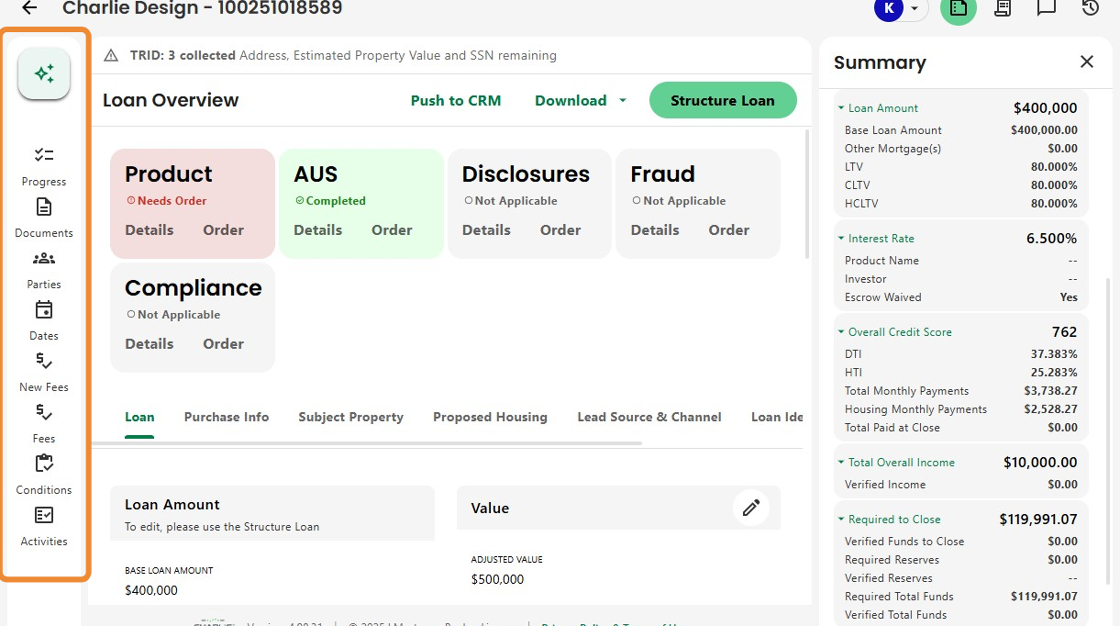
3. Streamlined navigation provides direct access to key Quick Actions, like structuring a loan, uploading documents, or adding parties.

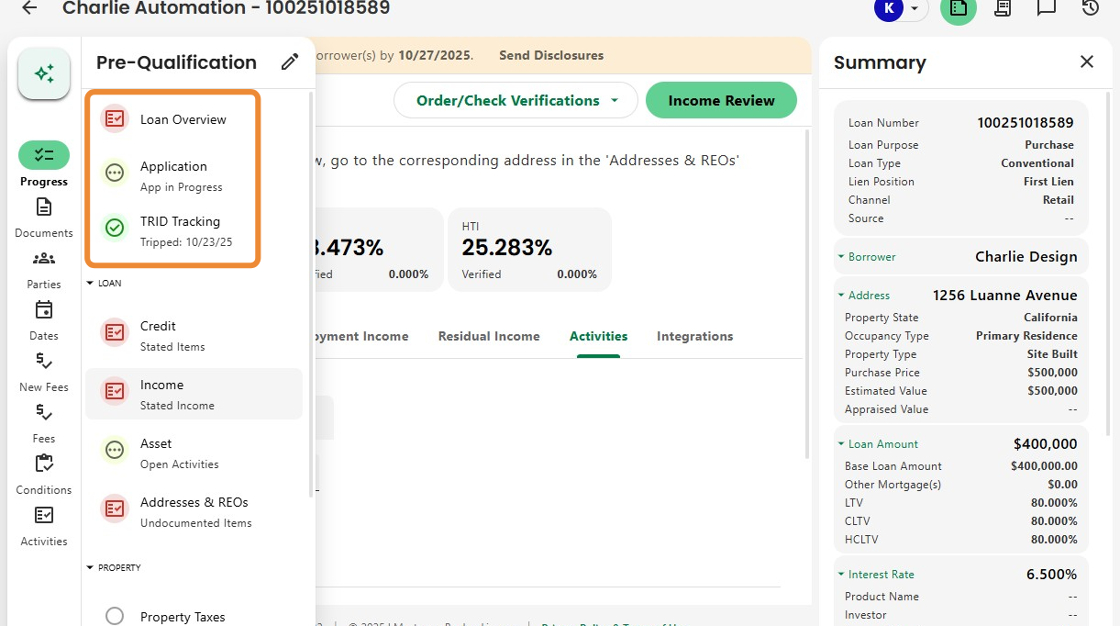
4. Progress Items now appear on the left, with status icons that clearly show whether an item needs action, is in progress, or is complete, along with brief descriptions for quick reference.
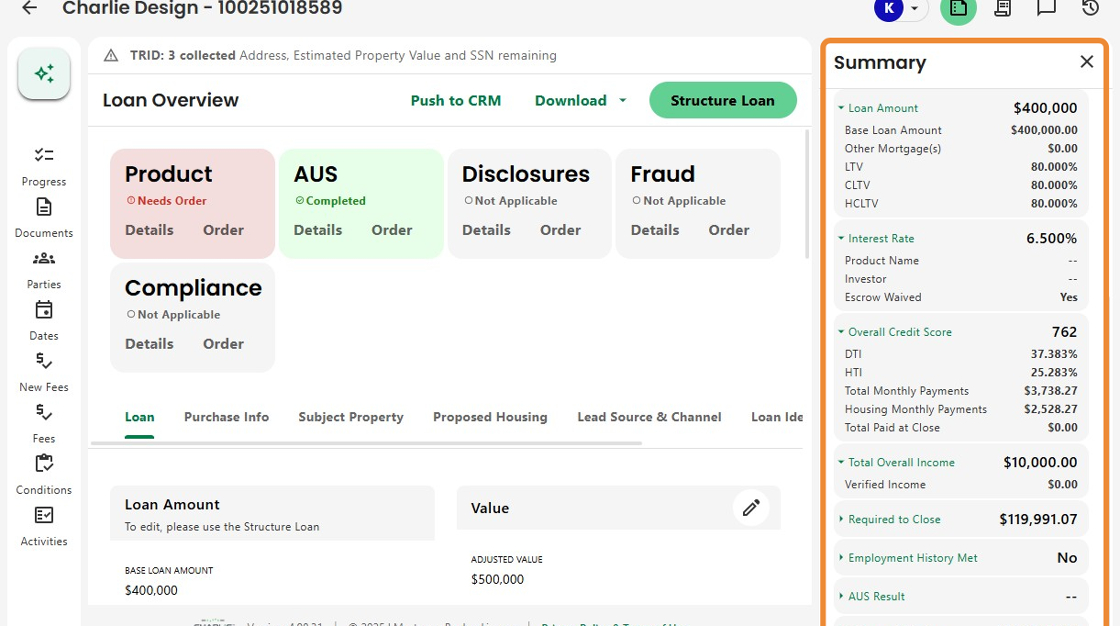
5. On the right, dynamic information panels display real-time loan insights without leaving the screen.
Each section can be expanded to show details or collapsed for easy viewing.
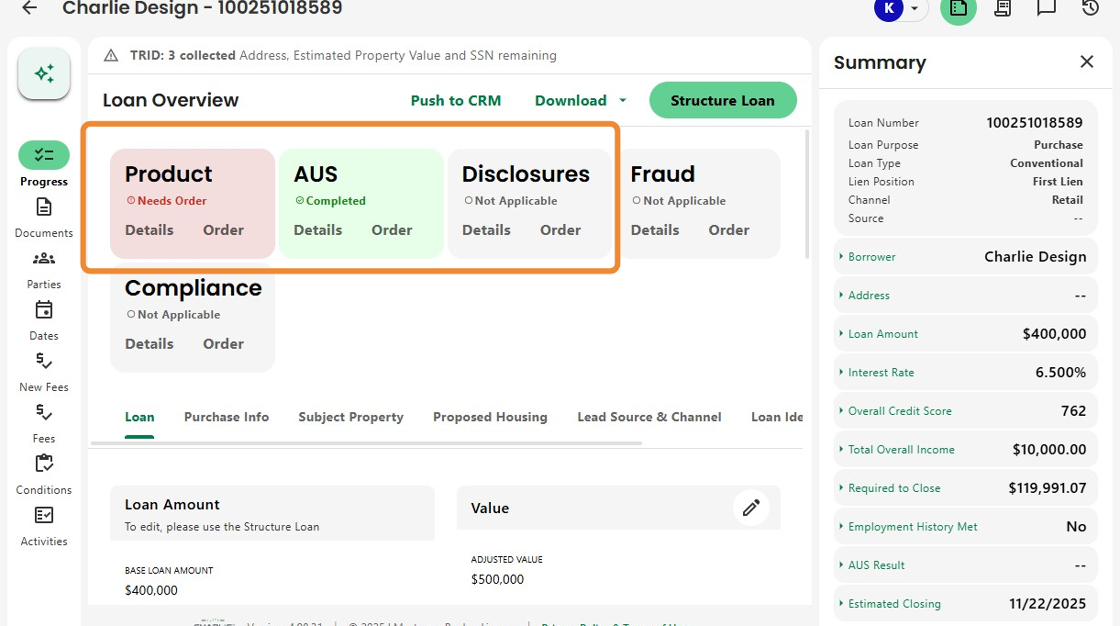
6. Color-coded visuals highlight key loan statuses and activity.
Here, Product and Pricing still needs to be run, AUS is complete, and Disclosures, Fraud, and Compliance will activate once more data is input.
7. The modernized UI extends across Charlie, with refreshed cards, updated field layouts, and redesigned info boxes for a sleek, consistent experience.
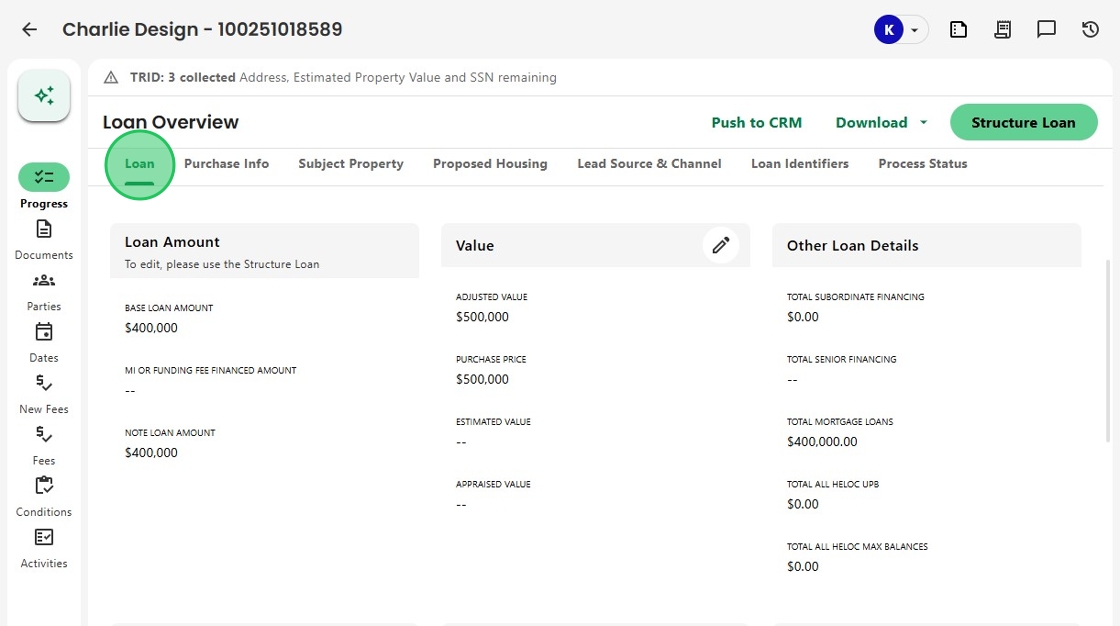
8. The unified design ensures a seamless look and feel across every page, improving navigation and readability.

9. The new design also extends to Charlie Analytics.
Data Insights now feature a modern side-panel layout, providing a consistent experience across the entire platform.

Was this article helpful?
That’s Great!
Thank you for your feedback
Sorry! We couldn't be helpful
Thank you for your feedback
Feedback sent
We appreciate your effort and will try to fix the article