Conditions & Activities Workflow Alignment
Workflow updates for Conditions and Activities deliver a more consistent and intuitive experience across Charlie.
1. Adding Activities to Conditions in Charlie just got easier. Simply choose the Condition you’d like to manage,

2. And click the "Add New Activity" button to access a list of associated activities.

3. Select one or more Activities to add to the Condition.
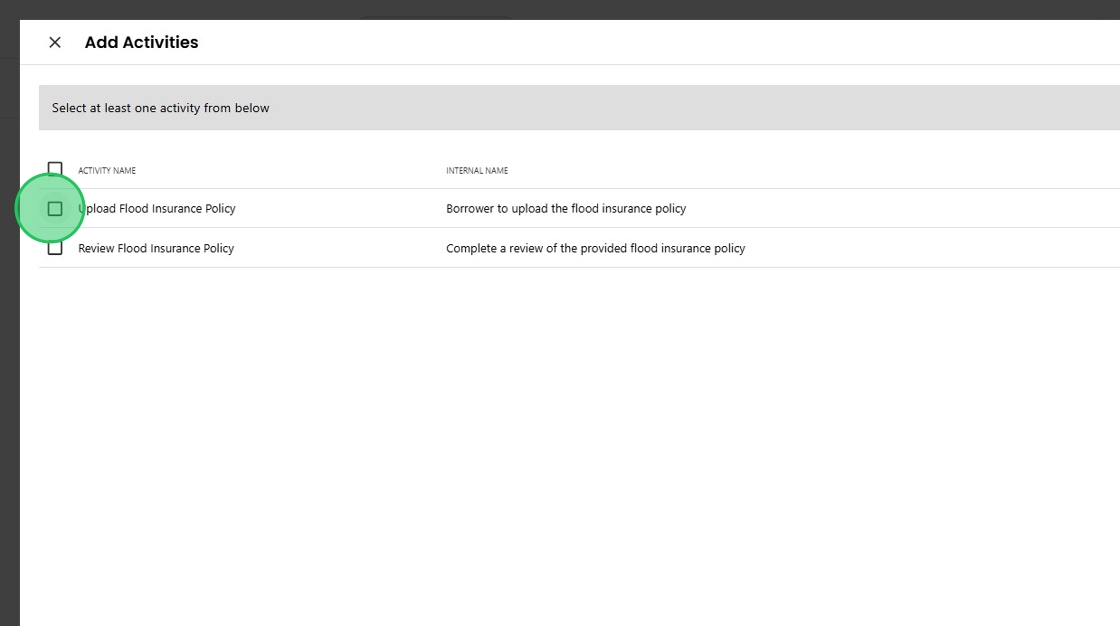
4. If desired, a Custom Title or Description can be added.

5. When finished making selections, click the "Add Activity" button.
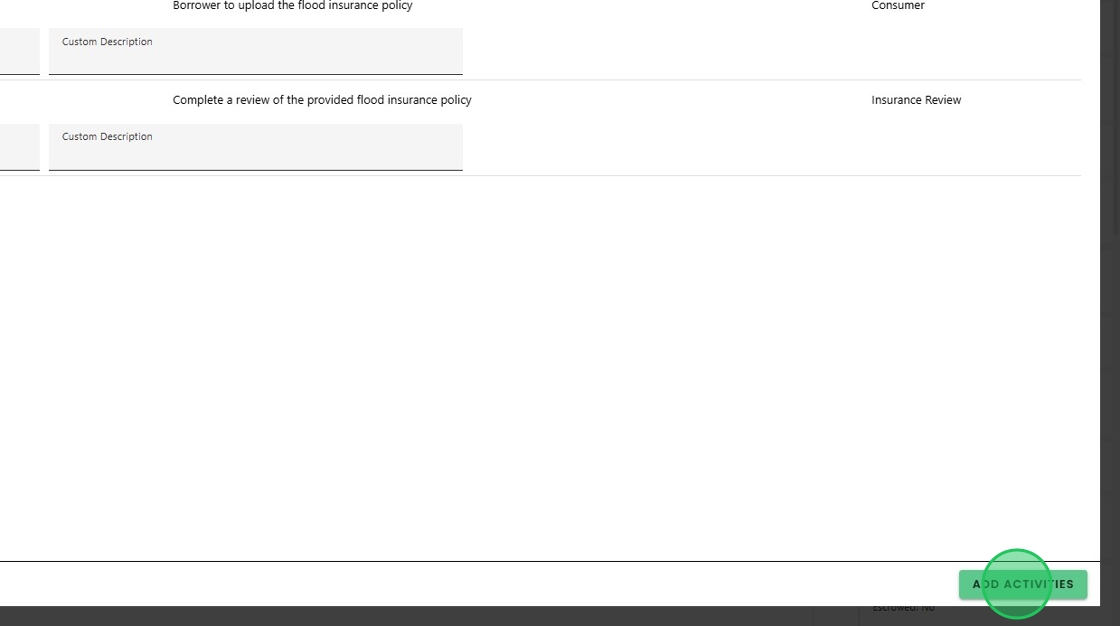
6. The new Associated Activities appear on the Condition Detail screen,

7. As well as on the main Conditions screen, assigning them to the appropriate skillset.

8. The same ability has been enabled for the Underwriter within the Underwriter Review advanced activity.

9. By selecting the "Conditions & Activities" section,

10. The Underwriter can manage conditions and associated activities, and review all conditions by satisfaction timelines and categories without having to navigate elsewhere, creating a seamless workflow.

Was this article helpful?
That’s Great!
Thank you for your feedback
Sorry! We couldn't be helpful
Thank you for your feedback
Feedback sent
We appreciate your effort and will try to fix the article